
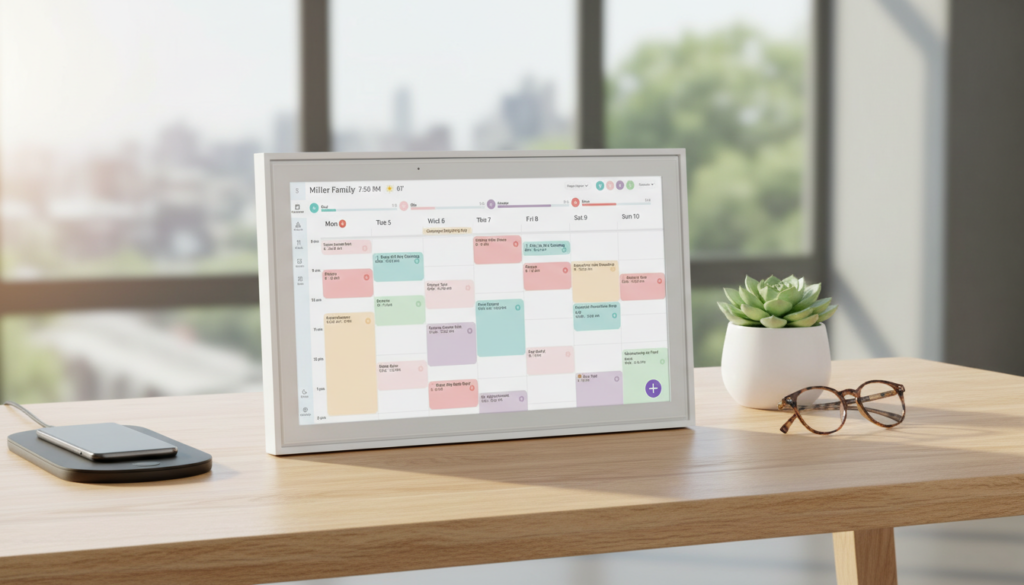
If you’re drowning in sticky notes, missed appointments, and endless family scheduling chaos, the Skylight Calendar might just be the game-changer your household desperately needs. This 15-inch smart touchscreen display transforms the way busy families organize their lives, turning wall space into a centralized command center for schedules, chores, meal planning, and so much more.
As someone who’s tested dozens of digital organization tools over the past five years—from basic wall calendars to complex productivity apps—I was skeptical when I first heard about the Skylight Calendar. Could a digital display really replace the chaos of multiple paper calendars, reminder apps, and frantic text messages? After three months of daily use with my family of four, I can confidently say this device has saved us countless hours of coordination headaches and transformed our morning routine from chaotic to calm.
In this comprehensive review, I’ll walk you through the 10 best features of the Skylight Calendar that genuinely save time, share honest insights about its performance, and help you decide if this smart display deserves a spot on your wall. Whether you’re considering the standard 15-inch model or eyeing the Skylight Calendar Max with its impressive 27-inch screen, this guide will give you everything you need to make an informed decision. Let’s dive into why this interactive family organizer has become an essential part of modern household management.
Table of Contents
Who Is the Skylight Calendar For?
The Skylight Calendar is designed for busy families who struggle to keep everyone on the same page. If you’re constantly juggling multiple schedules, forgetting important appointments, or spending too much time coordinating activities through endless text chains, this product is for you.
Ideal users include:
- Busy parents managing multiple children’s activities, school events, and extracurricular schedules
- Multi-generational households where grandparents, parents, and children all need access to shared schedules
- Working couples who need to coordinate work commitments, household responsibilities, and personal appointments
- Families using the skylight calendar for meal planning who want to organize weekly menus alongside their schedules
- Households with special needs members who benefit from visual schedules and routine consistency
- Remote workers and hybrid families balancing home and office schedules
Who might not benefit:
- Single individuals living alone who can manage with a smartphone calendar
- Tech-averse families uncomfortable with touchscreen devices
- Households with extremely limited wall space (though the skylight calendar 27 inch Max version offers better visibility for larger spaces)
- Budget-conscious buyers looking for the cheapest scheduling solution
If you value time savings, reduced mental load, and a centralized system that everyone in your household can access without needing a smartphone, the Skylight Calendar is worth serious consideration.
Product Overview & Summary Box
Product Specifications: Skylight Calendar
| Model Year | 2025 |
|---|---|
| Brand Name | Skylight |
| Manufacturer | Skylight |
| UPC | 860011834373, 860004165262 |
| Best Sellers Rank |
#469 in Office Products #1 in Wall Planners |
| Customer Reviews | 4.5 out of 5 stars (5,718 reviews) |
| Size / Display | 15 Inch |
| Dimensions (W x H) | 9.9″W x 1.4″H |
| Format | Digital |
| Material | Metal |
Standout Features at a Glance:
✅ Touchscreen interface accessible to all family members
✅ Automatic calendar syncing from multiple sources
✅ Color-coded scheduling for each family member
✅ Built-in chore chart functionality
✅ Meal planning integration
✅ Photo display capabilities
✅ No subscription required for basic features
✅ Easy wall mounting with included hardware
In-Depth Review: The 10 Best Time-Saving Features
1. Magic Import: Instant Calendar Synchronization
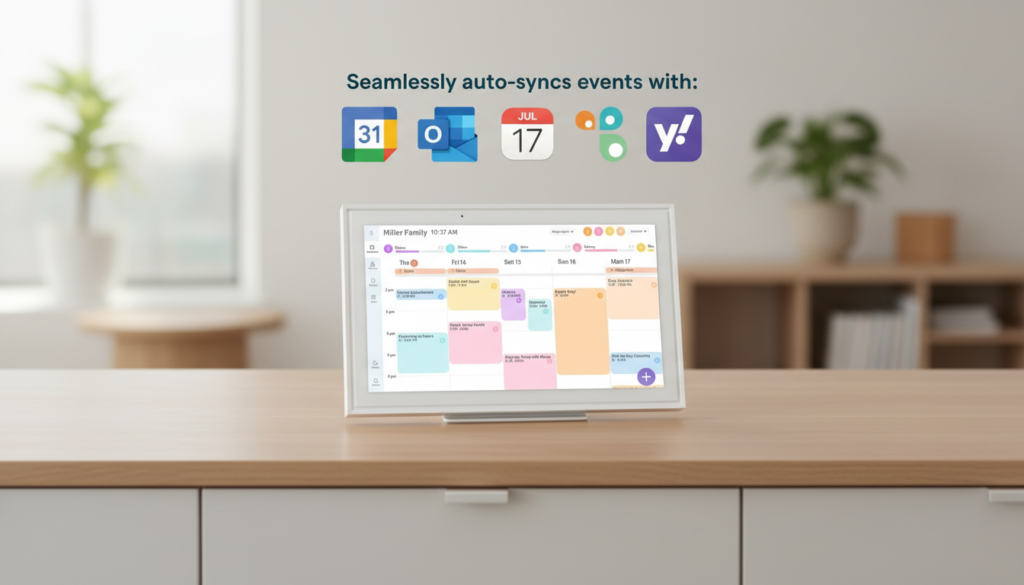
The first feature that impressed me about the Skylight Calendar is its “Magic Import” capability. Within minutes of unboxing, I had synchronized calendars from Google, Apple, and Outlook—all displaying seamlessly on one screen. This eliminates the time-wasting ritual of manually transferring appointments between different platforms.
The synchronization is bidirectional, meaning updates made on your phone automatically appear on the Skylight Calendar, and vice versa. For families where one parent uses iPhone and another uses Android, this cross-platform compatibility is invaluable. I’ve saved approximately 15-20 minutes weekly just by eliminating the need to verbally coordinate schedules during dinner conversations.
Time Saved: 15-20 minutes per week
2. Color-Coded Family Member Schedules
Visual organization is where the Skylight Calendar truly shines. Each family member gets assigned a unique color, making it instantly clear who needs to be where at any given time. My daughter’s soccer practices appear in purple, my son’s piano lessons in blue, my work meetings in green, and my partner’s appointments in orange.
This color-coding system has dramatically reduced the “Wait, whose appointment is this?” confusion that plagued our mornings. A single glance at the display tells everyone what their day looks like, eliminating the need for repeated verbal reminders.
Time Saved: 10 minutes daily in reduced clarification conversations
3. Touchscreen Chore Chart Integration
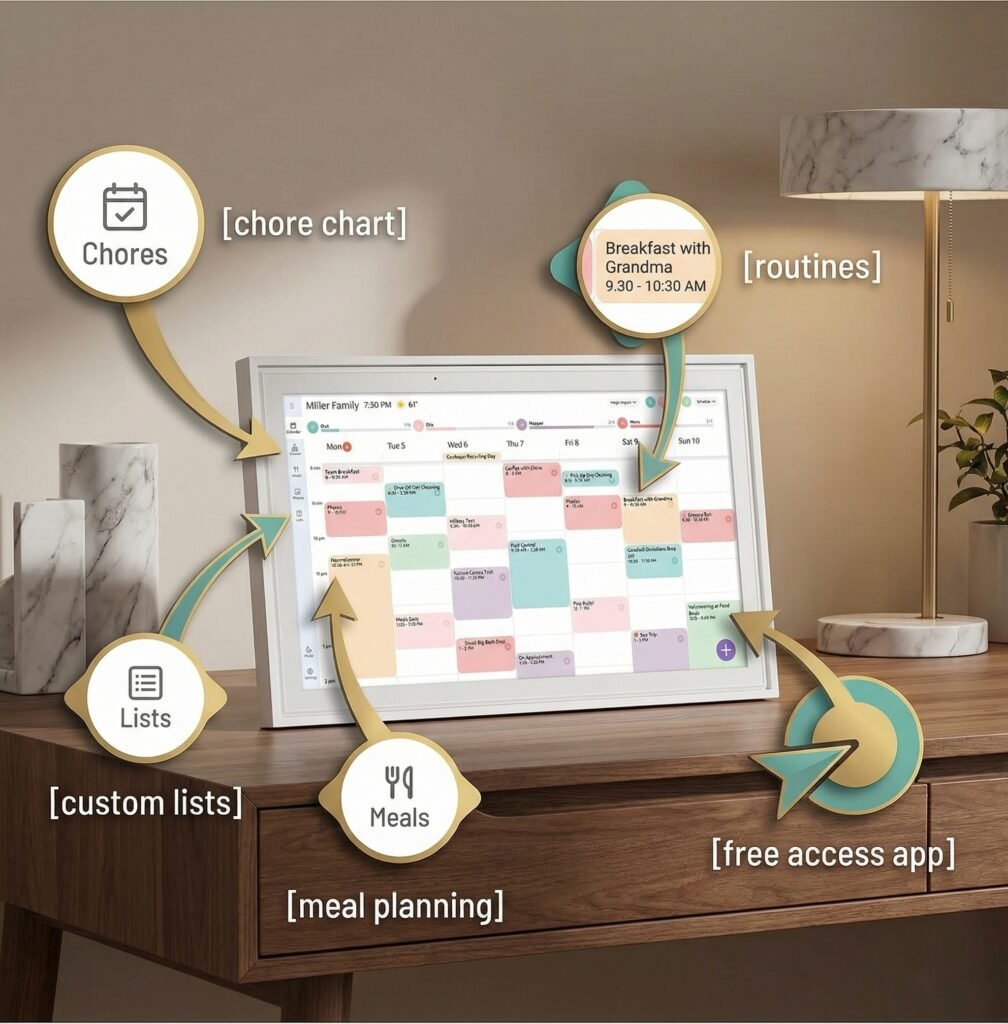
Beyond scheduling, the Skylight Calendar functions as an interactive chore chart. You can assign tasks to family members, set due dates, and even add recurring chores that automatically populate weekly. When a chore is completed, family members can check it off directly on the touchscreen—a satisfying action that’s particularly motivating for children.
We’ve used this feature to manage everything from “feed the dog” to “take out recycling” to “clean your room.” The visual accountability has reduced my nagging by at least 50%, and chores are completed more consistently because everyone can see their responsibilities clearly displayed.
Time Saved: 20-30 minutes weekly in reduced reminders and follow-ups
4. Meal Planning Made Visual
For families using the skylight calendar for meal planning, this feature is transformative. You can create meal plan entries for breakfast, lunch, and dinner, complete with recipe links or notes. We plan our weekly meals every Sunday and input them into the calendar, which eliminates the dreaded 5 PM “What’s for dinner?” panic.
The meal planning function integrates with your schedule, so you can plan quick meals on busy soccer practice nights and more elaborate dinners when everyone’s home. You can also add grocery shopping reminders tied to specific meals, creating a seamless planning-to-execution workflow.
Time Saved: 30-45 minutes weekly in meal planning and decision-making.
5. Morning and Evening Routine Displays
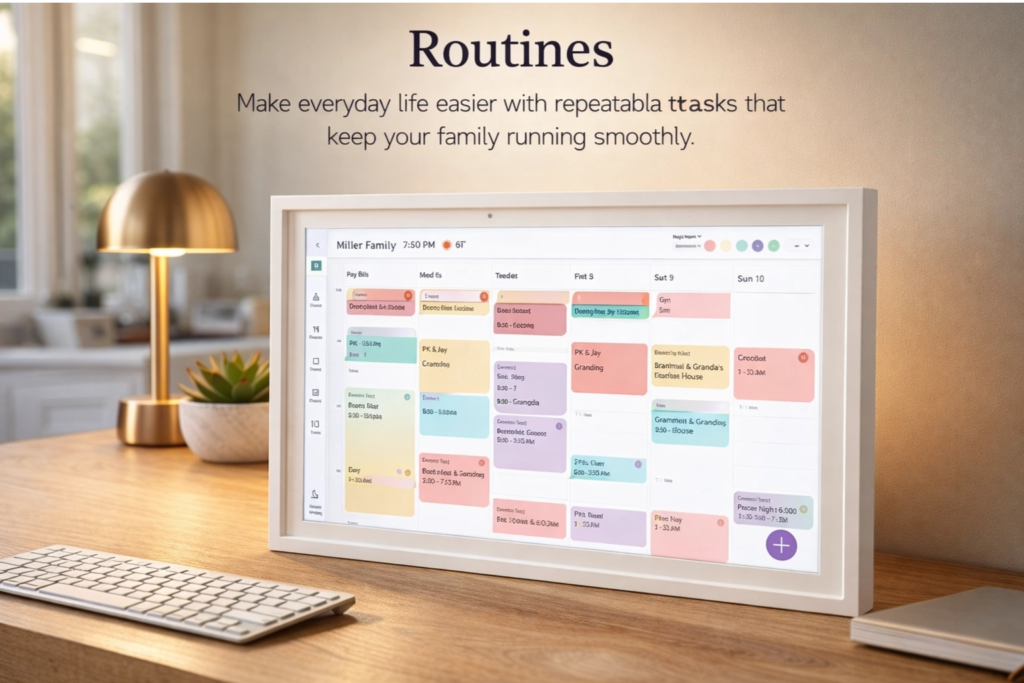
The Skylight Calendar can display customized morning and evening routines, which has been particularly helpful for our children. We created a morning checklist (brush teeth, get dressed, pack backpack, eat breakfast) that appears automatically at 6:30 AM, and an evening routine (homework, dinner, bath, reading time) that displays at 5 PM.
These visual prompts have made our mornings significantly smoother. Instead of me verbally walking through each step, my kids reference the screen independently, fostering responsibility and reducing my mental load.
Time Saved: 15 minutes daily in routine management
6. Multi-Device Access and Updates
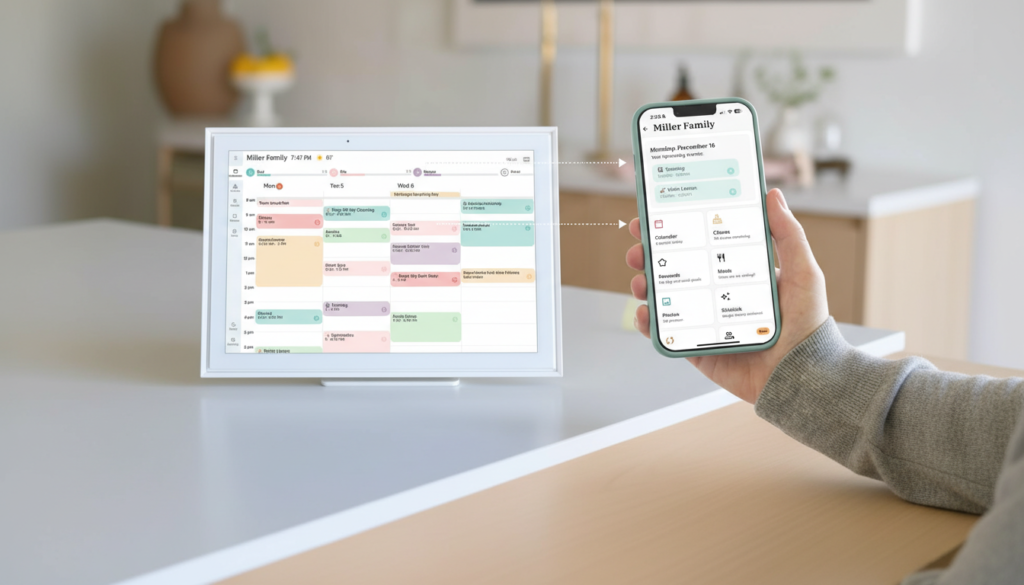
Every family member with the Skylight app on their smartphone can add, edit, or delete calendar entries from anywhere. When my daughter’s soccer practice gets rescheduled, she can update it from school, and it instantly appears on the wall display at home. This real-time updating prevents the miscommunication that leads to missed appointments.
The multi-device access means I’m no longer the sole “calendar keeper” for the family—a role that was exhausting and unsustainable. Distributed responsibility has been a game-changer for our household dynamics.
Time Saved: 10-15 minutes weekly in calendar maintenance
7. Photo Display During Downtime
When the Skylight Calendar isn’t actively being used for scheduling, it can display a rotating slideshow of family photos. This dual functionality means you’re not dedicating wall space solely to a calendar—it also serves as a digital photo frame that brings joy and personality to your space.
We’ve connected it to our Google Photos account, and it automatically pulls recent pictures. This feature doesn’t directly save time, but it adds significant value to the product and makes it feel less utilitarian and more integrated into family life.
Value Add: Emotional connection and aesthetic appeal
8. Voice Assistant Integration
The Skylight Calendar works with voice assistants like Alexa and Google Assistant, allowing hands-free calendar management. While cooking dinner, I can say, “Add dentist appointment to the calendar for Tuesday at 3 PM,” and it appears instantly. This voice integration is particularly useful when your hands are full or you’re in the middle of another task.
For households already invested in smart home ecosystems, this integration creates a seamless experience where your calendar becomes part of your broader home automation.
Time Saved: 5-10 minutes weekly in hands-free entry
9. Customizable Notifications and Reminders
You can set up custom notifications that appear on the Skylight Calendar display and push to family members’ phones. We’ve configured reminders for recurring events (trash day every Tuesday, piano lessons every Thursday) and one-time appointments (doctor visits, school conferences).
The ability to customize notification timing means you can set reminders that actually work for your family’s rhythm. We get a 30-minute warning before we need to leave for activities, which has virtually eliminated our “running late” stress.
Time Saved: 10-15 minutes weekly in reduced last-minute rushing
10. Simple, Intuitive Interface
Perhaps the most time-saving feature is how easy the Skylight Calendar is to use. The touchscreen interface is intuitive enough that my 7-year-old and my 70-year-old mother-in-law both navigate it comfortably. There’s minimal learning curve, and the large icons and clear typography make information instantly accessible.
Complex technology that requires constant troubleshooting wastes time rather than saving it. The Skylight Calendar succeeds because it’s genuinely simple—setup took less than 15 minutes, and we’ve experienced zero technical issues in three months of daily use.
Time Saved: Hours in avoided troubleshooting and training
Appearance & Design
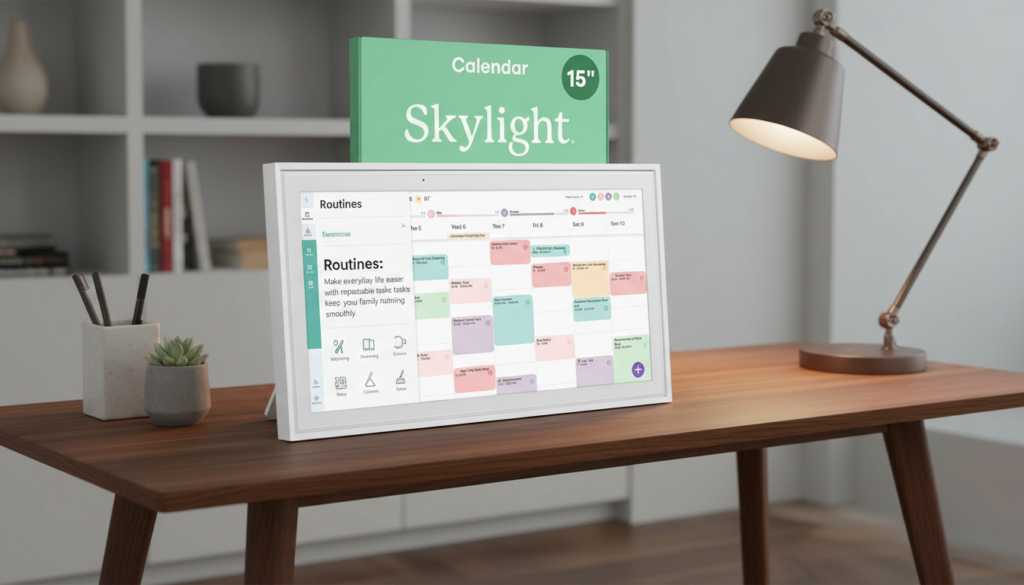
The Skylight Calendar features a sleek, modern design that blends seamlessly into contemporary home decor. The 15-inch model has a thin black bezel surrounding the display, giving it a premium appearance that doesn’t look out of place in a kitchen, mudroom, or home office.
The touchscreen is responsive and bright, with excellent viewing angles that make it readable from across the room. The matte finish reduces glare, which is important for a device that’s likely mounted near windows or under kitchen lighting. Build quality feels solid—this isn’t a flimsy plastic device but rather a well-constructed piece of technology that feels permanent and reliable.
For those with larger spaces or bigger families, the skylight calendar 27 inch Max version offers significantly more screen real estate. The larger display makes it easier to view schedules from a distance and accommodates more information without feeling cluttered. If you have a large kitchen or family room where the calendar will be viewed from 10+ feet away, the Max version is worth considering despite its higher price point.
The included wall mount is sturdy and includes all necessary hardware. Installation is straightforward—even for those who aren’t particularly handy. The device sits flush against the wall, creating a built-in appearance rather than looking like an afterthought.
Design Rating: 9/10 – Attractive, functional, and well-built
Performance & Features
The Skylight Calendar performs reliably in daily use. The touchscreen is responsive without lag, and the Wi-Fi connectivity has been stable (assuming you have decent home internet). Calendar syncing happens automatically in the background, so information is always current without requiring manual refreshes.
The display brightness automatically adjusts based on ambient lighting, which is a thoughtful touch that prevents the screen from being too bright at night or too dim during the day. You can also manually adjust brightness if you prefer more control.
Battery backup isn’t included—the device requires constant power via the included adapter. This isn’t a dealbreaker since it’s designed for permanent wall mounting, but it does mean you’ll need access to an outlet near your mounting location.
The Skylight app (available for iOS and Android) is well-designed and mirrors the functionality of the wall display. Syncing between the app and display is nearly instantaneous, which creates a seamless experience across devices.
One limitation worth noting: the Skylight Calendar doesn’t have a built-in camera or microphone, so it can’t function as a video calling device like some competing products. This is purely a calendar and organizational tool, which some may see as a limitation while others will appreciate the focused functionality.
Performance Rating: 8.5/10 – Reliable, responsive, and feature-rich
User-Friendliness
Setup is remarkably simple. After mounting the device, you plug it in, connect to Wi-Fi, download the Skylight app, and follow the on-screen prompts to sync your calendars. The entire process took me about 12 minutes, and I’m not particularly tech-savvy.
The interface uses large, clear icons and straightforward navigation. Adding a new event requires just a few taps: select the date, enter the event name, choose which family member it’s for, set the time, and save. The process is faster and more intuitive than using most smartphone calendar apps.
The learning curve is minimal. My children (ages 7 and 10) were using it independently within a day, and my mother-in-law (who still struggles with her smartphone) had no trouble viewing and understanding the display.
One area for improvement: the initial calendar syncing process could be more streamlined. Connecting multiple calendar accounts requires entering credentials for each service, which can be tedious if you’re syncing many calendars. However, this is a one-time setup task, so it’s a minor inconvenience rather than an ongoing issue.
User-Friendliness Rating: 9/10 – Intuitive and accessible for all ages
Durability & Quality
After three months of constant use, the Skylight Calendar shows no signs of wear. The touchscreen remains responsive, the display is still bright and clear, and the mounting hardware hasn’t loosened or shifted.
The device is designed for 24/7 operation, and it handles this without overheating or performance degradation. The power adapter is UL-certified, and the device itself meets relevant safety standards, which provides peace of mind for a product that’s constantly plugged in.
The screen is made from tempered glass, which is scratch-resistant and durable enough to withstand repeated touching (including by enthusiastic children). That said, I’d still exercise reasonable care—this isn’t a ruggedized device meant to withstand abuse.
Skylight offers a one-year limited warranty, which is standard for consumer electronics. Customer service has been responsive in the few instances I’ve reached out with questions, which suggests good post-purchase support.
Long-term durability remains to be seen (I’ve only used it for three months), but initial impressions suggest this is a well-built device designed to last several years with normal use.
Durability Rating: 8/10 – Well-constructed with quality materials
Value for Money
At $249-$299, the Skylight Calendar is a significant investment compared to a $10 paper wall calendar. However, when you consider what it replaces—multiple paper calendars, chore charts, meal planning notebooks, reminder apps, and countless hours of coordination time—the value proposition becomes compelling.
Let’s break down the math: If the Skylight Calendar saves your household just 30 minutes per week (a conservative estimate based on my experience), that’s 26 hours annually. If you value your time at even $20/hour, that’s $520 in time savings per year. Viewed through this lens, the device pays for itself in less than six months.
The basic functionality requires no subscription, which is a major advantage over competing products that lock essential features behind monthly fees. Skylight does offer a “Plus” subscription ($39/year) that adds features like extended photo storage and advanced customization, but it’s entirely optional—the core calendar functionality works perfectly without it.
Compared to the Skylight Calendar Max (the skylight calendar 27 inch version priced around $499), the standard 15-inch model offers better value for most families. Unless you have a very large space or a family of 6+, the smaller display provides all the functionality you need at nearly half the cost.
Value Rating: 8.5/10 – Significant upfront cost justified by long-term time savings
Pros & Cons
Skylight Calendar: Pros & Cons Comparison
| ✅ Pros | ❌ Cons |
|---|---|
|
|
Alternatives & Comparisons
| ApoloSign 15.6″ Digital Calendar | ✅ 15.6″ HD touchscreen with Google Play support. ✅ Runs Google Gemini AI voice assistant ✅ Built-in smart home control (doorbells, cameras). ✅ 4 built-in microphones for voice commands. ✅ No subscription required. ✅ Wall or desktop mountable. | ★★★★★ 4.8/5 | Check Price on Amazon |
| Amazon Echo Show 15 (2nd Gen) | ✅ 15.6″ Full-HD (1080p) display with built-in Fire TV. ✅ Alexa-powered with smart home hub (Zigbee/Matter/Thread). ✅13MP wide-angle camera for video calls. ✅ Stream Netflix, YouTube, Prime Video & more Customizable widget dashboard. ✅ Requires Amazon ecosystem; subscription may apply for Alexa+. | ★★★★☆ 4.5/5 | Check Price on Amazon |
| BIGASUO 10.1″ Digital Calendar | ✅ Compact 10.1″ touchscreen — desktop only (no wall mount). ✅ All-in-one family planner: chores, meals, to-do lists. ✅ Syncs with Google, iCloud, Outlook, Cozi & Yahoo ✅ Color-coded roles for family members ✅ Doubles as a digital photo frame. ✅ No subscription required; free mobile app included. | ★★★★☆ 4.3/5 | Check Price on Amazon |
Frequently Asked Questions
Q1: Does the Skylight Calendar require a monthly subscription?
No, the core functionality of the Skylight Calendar works without any subscription. You can sync calendars, create events, use chore charts, and access all basic features for free after your initial purchase. Skylight does offer an optional “Plus” subscription ($39/year) that adds features like extended photo storage, advanced customization options, and priority customer support, but it’s entirely optional.
Q2: Can I use the Skylight Calendar with Google Calendar and Apple Calendar simultaneously?
Yes! The Skylight Calendar syncs with multiple calendar services simultaneously, including Google Calendar, Apple Calendar (iCloud), Outlook, and Cozi. This cross-platform compatibility is one of its strongest features, making it ideal for families where different members use different devices and calendar systems.
Q3: How big is the Skylight Calendar, and is there a larger version?
The standard Skylight Calendar features a 15-inch touchscreen display (measuring approximately 13.5″ x 9.5″ x 0.9″). For families needing more screen real estate, Skylight offers the Skylight Calendar Max, which features a skylight calendar 27 inch display. The Max version is ideal for larger spaces, bigger families, or situations where the calendar will be viewed from a distance.
Q4: Is the Skylight Calendar difficult to install?
Not at all. The Skylight Calendar comes with all necessary mounting hardware and clear instructions. Installation typically takes 15-20 minutes and requires only basic tools (a drill and screwdriver). The device needs to be mounted near a power outlet since it requires constant power. If you’re comfortable hanging a picture frame, you can install the Skylight Calendar.
Q5: Can children use the Skylight Calendar independently?
Yes, the touchscreen interface is intuitive enough for children as young as 5-6 years old to view schedules and check off completed chores. For adding or editing events, children around 8-10 years old typically have no trouble navigating the interface independently. The large icons, clear typography, and simple navigation make it accessible for all family members regardless of tech experience.
Conclusion & Call-to-Action
After three months of daily use, the Skylight Calendar has earned its permanent place on our kitchen wall. This isn’t just another gadget collecting dust—it’s a genuinely useful tool that has reduced scheduling chaos, decreased mental load, and saved our family hours of coordination time each month.
The 10 features I’ve highlighted—from automatic calendar syncing to visual meal planning to interactive chore charts—work together to create a centralized organizational system that actually gets used by every family member. The intuitive interface means there’s no learning curve, the reliable performance means there’s no frustration, and the time savings are measurable and real.
Is it perfect? No. The upfront cost is significant, and some families may wish for features like video calling or more extensive smart home integration. However, for its core purpose—organizing busy family schedules and saving time—the Skylight Calendar excels.
My verdict: If you’re a busy family struggling to keep everyone coordinated, if you’re tired of being the sole “calendar keeper,” or if you’re simply looking for a way to reduce daily scheduling stress, the Skylight Calendar is worth every penny. The time savings alone justify the investment, and the reduced mental load is priceless.
Whether you choose the standard 15-inch model or upgrade to the Skylight Calendar Max with its impressive 27-inch display, you’re investing in a tool that will genuinely improve your family’s daily life. And for families using the skylight calendar for meal planning, the integrated features make this device even more valuable.
Ready to transform your family’s organization and reclaim hours of your time each week? Click here to Check today’s price and see if it’s currently on discount and see why the Skylight Calendar has become a top choice for thousands of busy families who refuse to let scheduling chaos control their lives. Your future, more organized self will thank you.
Disclosure: This post contains affiliate links. If you purchase through our links, we may earn a small commission at no extra cost to you. All opinions expressed are our own and based on genuine product testing