
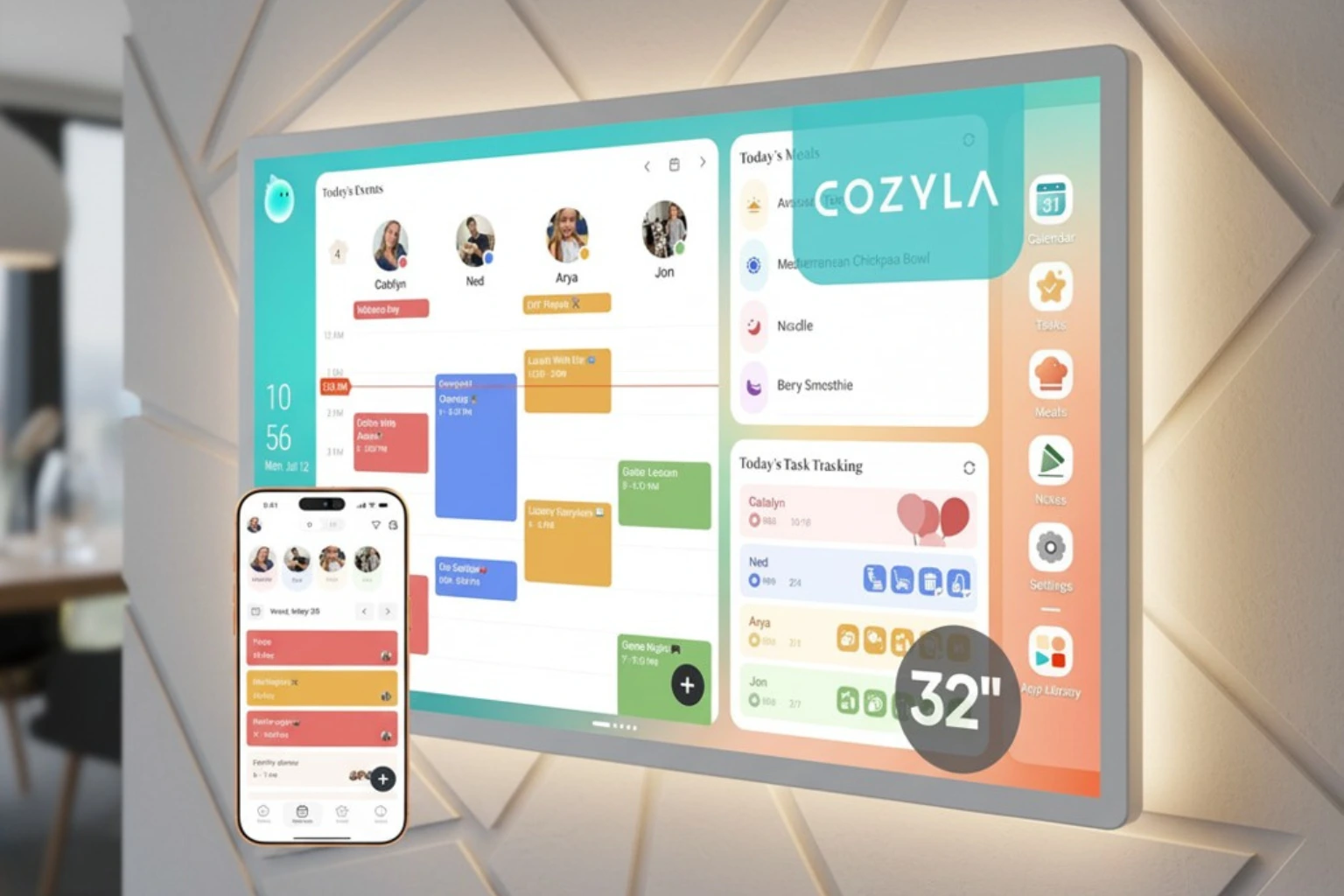
If your fridge is covered in sticky notes and nobody in your house agrees on whose turn it is to do the dishes, a Cozyla calendar is built to fix exactly that problem. The Cozyla Calendar Plus 2 is a 24-inch touchscreen digital wall calendar that syncs everyone’s schedules, chores, and meal plans onto one screen—with no monthly subscription fee. Below, we break down how it performs for real families in 2026, where it beats competitors like Skylight, and where it falls short.
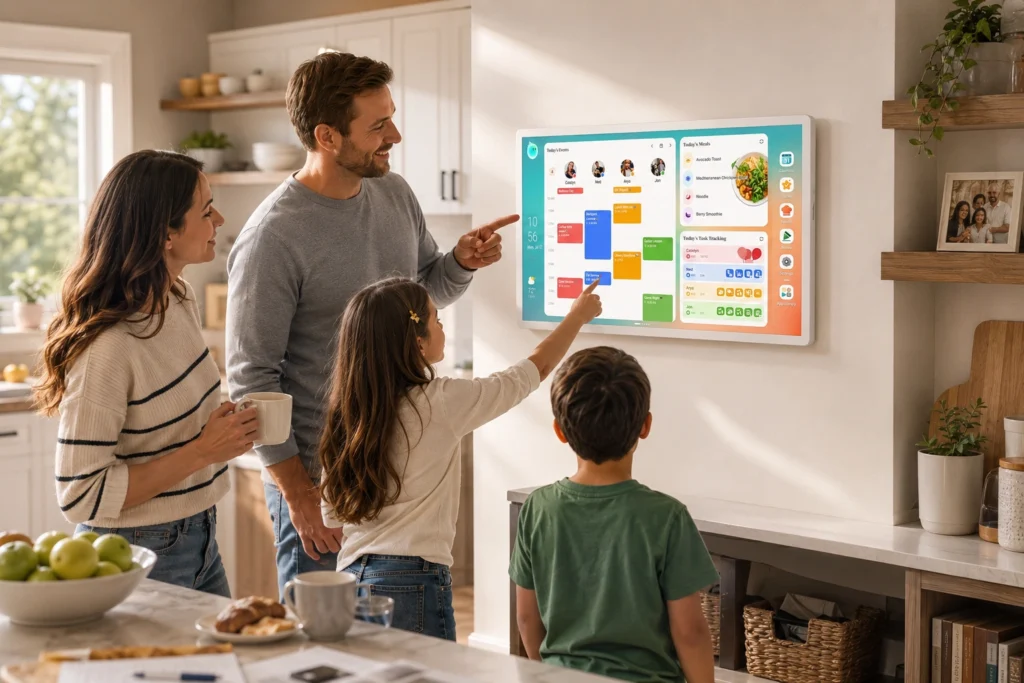
Who Is the Cozyla Calendar For?
The Cozyla Calendar Plus 2 is best suited for:
- Busy parents juggling 3+ kids’ schedules, school events, and after-school activities
- Multi-generational households who want one shared view of everyone’s day
- Families who hate subscriptions and want a one-time purchase instead of a monthly fee
- Visual planners who prefer glancing at a wall screen over checking five separate apps
Who should probably skip it:
- Singles or couples with simple, low-conflict schedules (a shared Google Calendar app may be enough)
- Renters who can’t wall-mount a display and don’t want it taking up counter space
- Anyone who wants a fully offline, screen-free planning system
Quick Answer: Cozyla Calendar Plus 2 at a Glance
| Product | Cozyla Calendar Plus 2 (24″) |
|---|---|
| Price | Check the price |
| Best For | Busy families with 3–8 members |
| Standout Feature | No-subscription calendar sync across Google, iCloud, Outlook & Yahoo |
| Rating | ★★★★★ 4.7/5 |
In-Depth Cozyla Digital Calendar Review
Appearance & Design
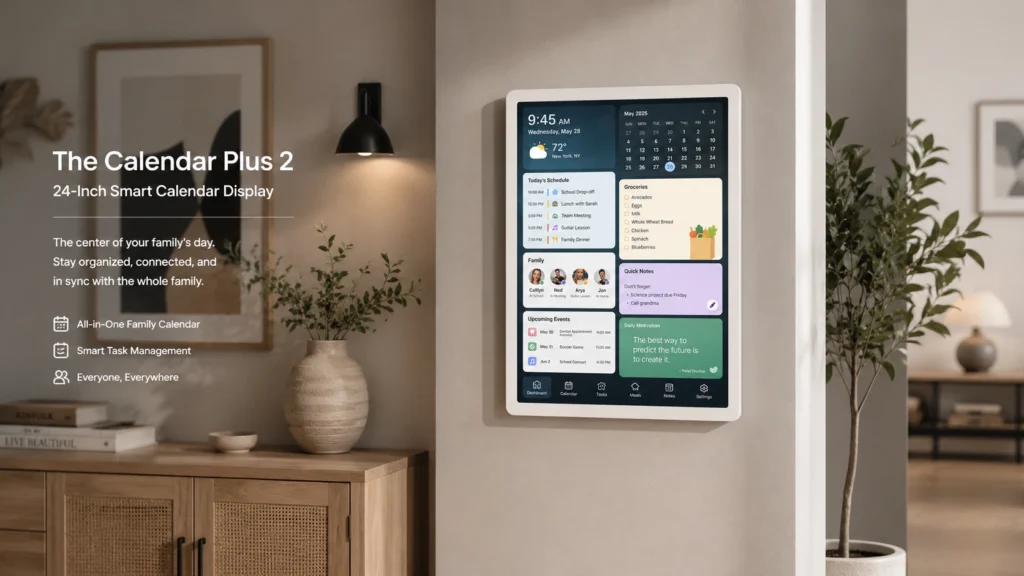
The Calendar Plus 2 comes in a 24-inch size (also available in 15.6″ and 32″), designed to sit flush on a wall with an included mount or stand. It’s meant for kitchens, hallways, or command-center spaces where the whole family passes by daily. The white bezel and slim profile are designed to look more like a framed display than a tablet bolted to your wall.
Performance & Features: What Does the Cozyla Calendar App Do?
The Cozyla calendar app is the backbone of the device, syncing everyone’s calendars into one color-coded view.
| Feature | Details |
|---|---|
| Screen size | 15.6″, 24″, or 32″ |
| Touchscreen | Yes |
| Calendar sync | Google, iCloud, Outlook, Yahoo |
| User profiles | Up to 8, color-coded |
| Subscription required | No |
| Chore chart | Yes, with point-based rewards |
| Meal planning | Yes, with recipe integration and grocery list generation |
| Mounting | Wall mount included; tabletop stand on the 15.6″ model |
| Companion app | Cozyla+ (iOS/Android) |
| Smart assistant compatibility | Amazon Alexa, Google Home |
User-Friendliness & Setup Experience
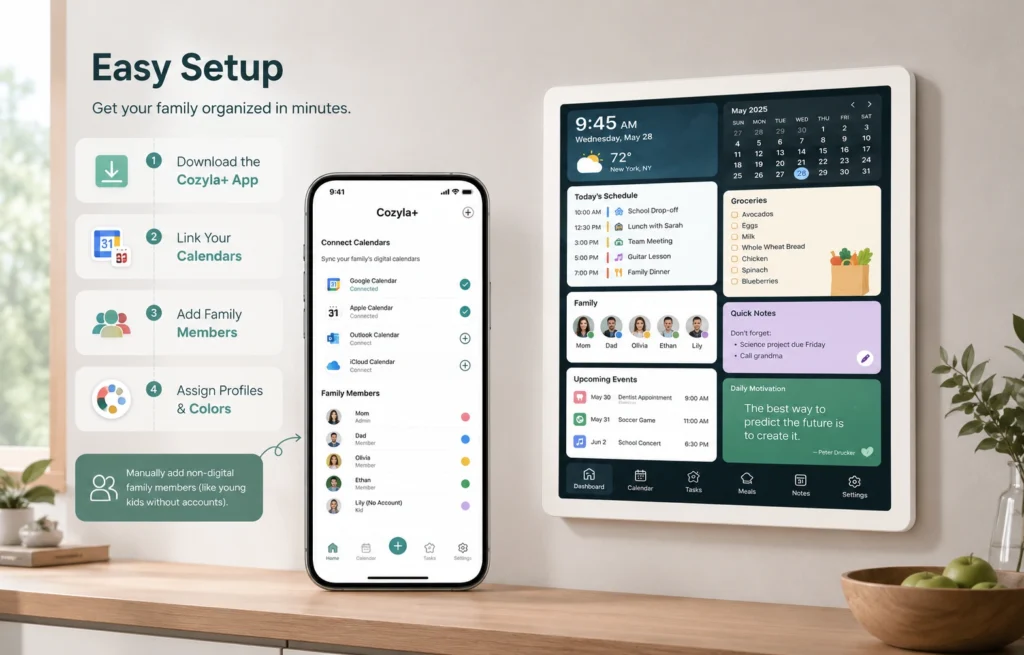
Setup centers on downloading the Cozyla+ companion app, linking your existing calendars, and assigning each family member a profile and color. Most users report the initial calendar sync is the fastest part; the more time-consuming step is manually adding non-digital family members (like young kids without their own calendar accounts).
Durability & Build Quality
As a wall-mounted touchscreen, the Calendar Plus 2 is built more like a home display than a rugged tablet — reasonable for its intended stationary use, but worth handling carefully during mounting. The included wall bracket allows it to rotate between portrait and landscape orientation.
Value for Money: Cozyla vs. the Competition
The biggest differentiator versus rivals like Skylight Calendar is the no-subscription model — many competing smart calendars charge an ongoing monthly fee for full functionality, while Cozyla’s core features are included with the one-time purchase.
Pros & Cons
✅ Pros
- No monthly subscription required for core features.
- Syncs across Google, iCloud, Outlook, and Yahoo in real time.
- Supports up to 8 color-coded family profiles.
- Built-in chore chart with a reward system for kids.
- Meal planning with recipe integration and auto-generated grocery lists.
- AI assistant converts photos or URLs into calendar entries.
❌ Cons
- Higher upfront cost than a basic wall calendar or planner app.
- Adding schedules manually for family members without their own digital calendar can take time.
- Requires wall space or a stand, making it less suitable for small or cluttered kitchens.
- Runs on Android, so compatibility depends on the app.
- International buyers may need their own plug adapter because the device includes a US-style plug.
Cozyla vs. Skylight Calendar vs. Apolosign: Comparison Table
| Feature | Cozyla Calendar Plus 2 | Skylight Calendar | Apolosign 21.5″ |
|---|---|---|---|
| Price | Check the price | Check the price | Check the price |
| Subscription | None required | Optional premium tier | None required |
| Screen sizes | 15.6″, 24″, 32″ | 10″, 15″ | 21.5″ |
| Chore chart | Yes, with rewards | Yes | Yes |
| Best for | Larger families wanting an all-in-one hub | Simpler schedule + chore tracking | Mid-size households wanting dual calendar/dashboard modes |
Choose Cozyla if you want the widest range of screen sizes, an app store for customization, and meal-planning tools built in. Choose Skylight if you want a simpler interface focused mainly on scheduling and chores. Choose Apolosign if you want a mid-size screen with a dashboard mode for non-calendar widgets.
Cozyla Calendar FAQs
Is there a subscription fee for the Cozyla calendar?
No. The Cozyla Calendar Plus 2 does not require a monthly subscription for its core calendar, chore chart, and meal-planning features, which sets it apart from several competitors that charge ongoing fees.
What calendars does Cozyla sync with?
Cozyla automatically syncs with Google Calendar, iCloud, Outlook, and Yahoo Calendar, updating in real time across every linked profile so changes appear instantly on the wall display and companion app.
How many family members can use one Cozyla calendar?
The Calendar Plus 2 supports up to 8 individual profiles, each assigned its own color, so households can see who’s busy at a glance without opening separate calendars.
What size Cozyla calendar should I buy?
The 32″ model suits larger shared spaces like kitchens, the 24″ is a good middle ground for medium rooms and wall mounting, and the 15.6″ fits small counters or desks.
Does the Cozyla calendar work with Alexa or Google Home?
Yes. The Calendar Plus 2 is compatible with both Amazon Alexa and Google Home, letting you add events or check schedules using voice commands alongside the touchscreen.
Final Verdict
The Cozyla Calendar+ 2 earns its place as one of the more complete family organization hubs on the market in 2026 — especially for households tired of paying a subscription just to see everyone’s schedule in one place. Reviewers consistently point to the complete absence of subscription fees for core features, including AI and app syncing, as a major differentiator from competitors.
What works well:
- Breadth of features. It functions less like a calendar and more like a household command center, with a shared calendar that auto-syncs Apple, Google, Outlook and other accounts, up to eight color-coded family profiles, a customizable widget-based dashboard, points-based chores and routines with rewards, and a companion mobile app.
- Chore gamification actually lands. One tester found the built-in chore system genuinely motivating, describing it as a system that turns housework into something enjoyable through animated confetti, leaderboards, and friendly competition.
- Platform flexibility. Because it’s essentially a large Android tablet capable of running Play Store apps, it can double as a streaming device or video-call screen — a level of flexibility that sets it apart from rivals like Skylight.
- Meal planning depth. Reviewers were surprised by the recipe library and its integration with cooking tutorials, useful for households trying to cut back on takeout.
Where it falls short:
- Sync reliability. At least one in-depth review flagged that some calendar invitations from third parties didn’t automatically pull through, requiring a manual open of the Cozyla app to force a full sync — undermining confidence in the core promise of the product. Cozyla has acknowledged this and says it’s working on it.
- Recipe/meal-prep app friction. A verified customer review noted the recipe browsing feature causing app crashes or failing to load beyond the first few pages, plus a clunky grocery-list creation flow.
- Learning curve and build finish. Multiple reviewers mention a setup learning curve, and one noted the matte display feels less premium than glass-fronted competitors like Skylight.
- Price. Depending on size, this is a real investment — from roughly $350 up to $1,300 for the 32″ 4K rolling-stand configuration.
Bottom line: For a multi-kid household juggling overlapping schedules, chores, and meals, the Cozyla Calendar+ 2 delivers more genuine day-to-day utility than a typical shared calendar app, and the no-subscription model is a meaningful long-term cost advantage. It’s not flawless—sync hiccups and rough edges in the meal-planning app keep it from feeling fully polished—but as a family hub rather than a niche gadget, it holds up well against subscription-based alternatives.
If you’re a busy parent drowning in sticky notes, group texts, and missed pickup times, the Cozyla Calendar Plus 2 is worth a serious look today.
Disclosure: This post contains affiliate links. If you make a purchase through these links, we may earn a commission at no additional cost to you.
Related post:
Best thermal printer for labels


