Table of Contents
If you’ve been hunting for a digital notebook that genuinely feels like writing on paper, the reMarkable Paper Pro is probably already on your radar. After spending several weeks using the reMarkable Paper Pro Bundle, I can confidently say it’s one of the most refined paper-replacement tablets currently available. In this in-depth reMarkable Paper Pro Bundle review, I’ll break down everything you need to know—from the gorgeous 11.8″ color display and Marker Plus pen to the premium accessories like the reMarkable Paper Pro Bundle Mosaic Weave folio and the reMarkable Paper Pro Bundle with Leather Folio. By the end, you’ll know if this device deserves a spot in your workflow.
👉 Check the latest price of the reMarkable Paper Pro Bundle on Amazon
Introduction: Why I’m Reviewing the reMarkable Paper Pro
I’ve been a long-time note-taker. From spiral notebooks in college to iPads loaded with PDF annotation apps, I’ve tried just about every method to keep my thoughts organized. None of them ever quite felt right. Paper notebooks pile up; iPads are distracting; styluses on glass screens never feel natural. When the reMarkable Paper Pro launched as the successor to the popular reMarkable 2, I knew I had to test it.
As someone who works in research and content writing, my goal in this reMarkable Paper Pro Bundle review is to evaluate whether this tablet truly replaces both paper and an iPad for serious knowledge workers, students, and creatives. I’ll also touch on the reMarkable Paper Pro Bundle Mosaic Weave option and the reMarkable Paper Pro Bundle with Leather Folio for buyers considering the premium accessory bundles. Stick with me—the verdict might surprise you.
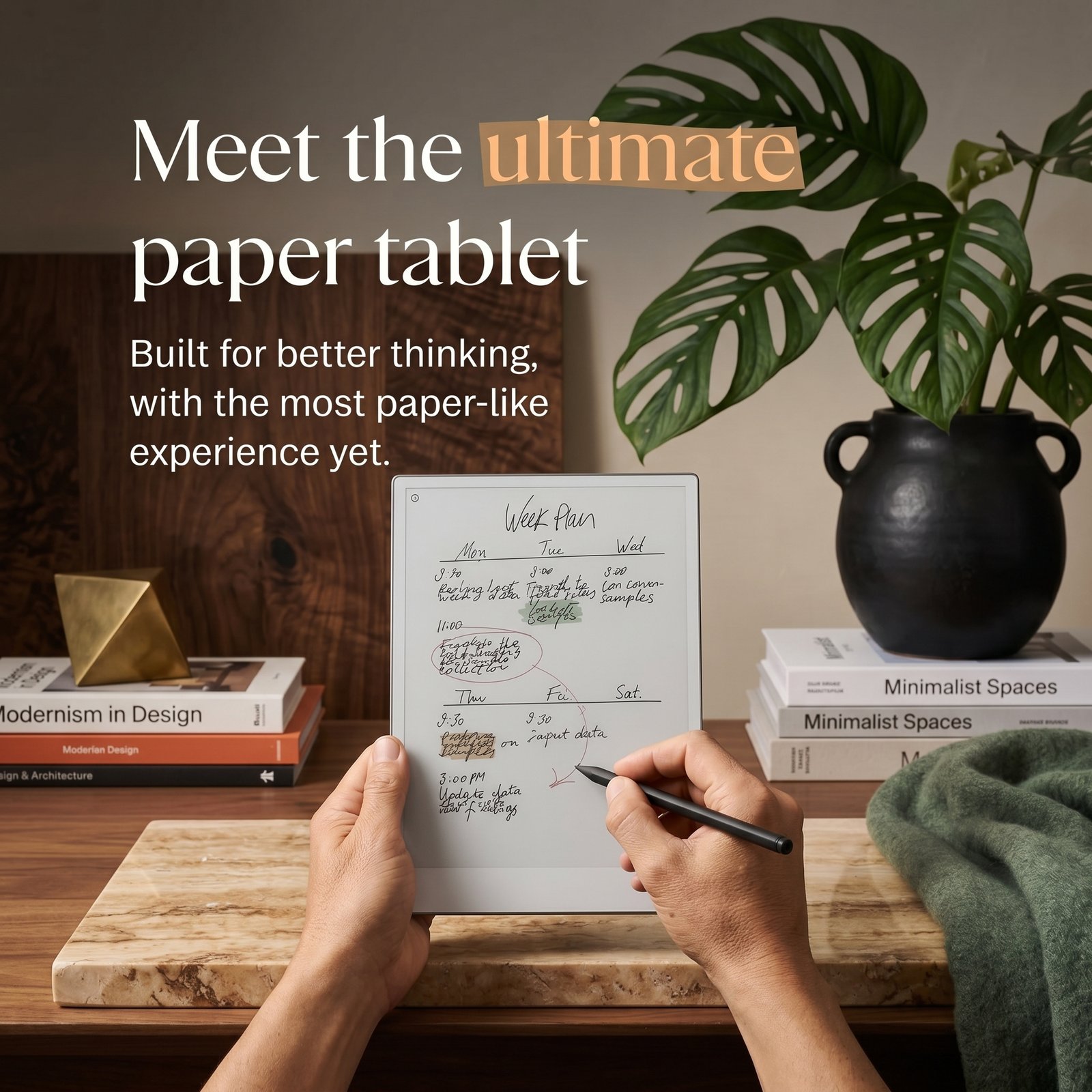
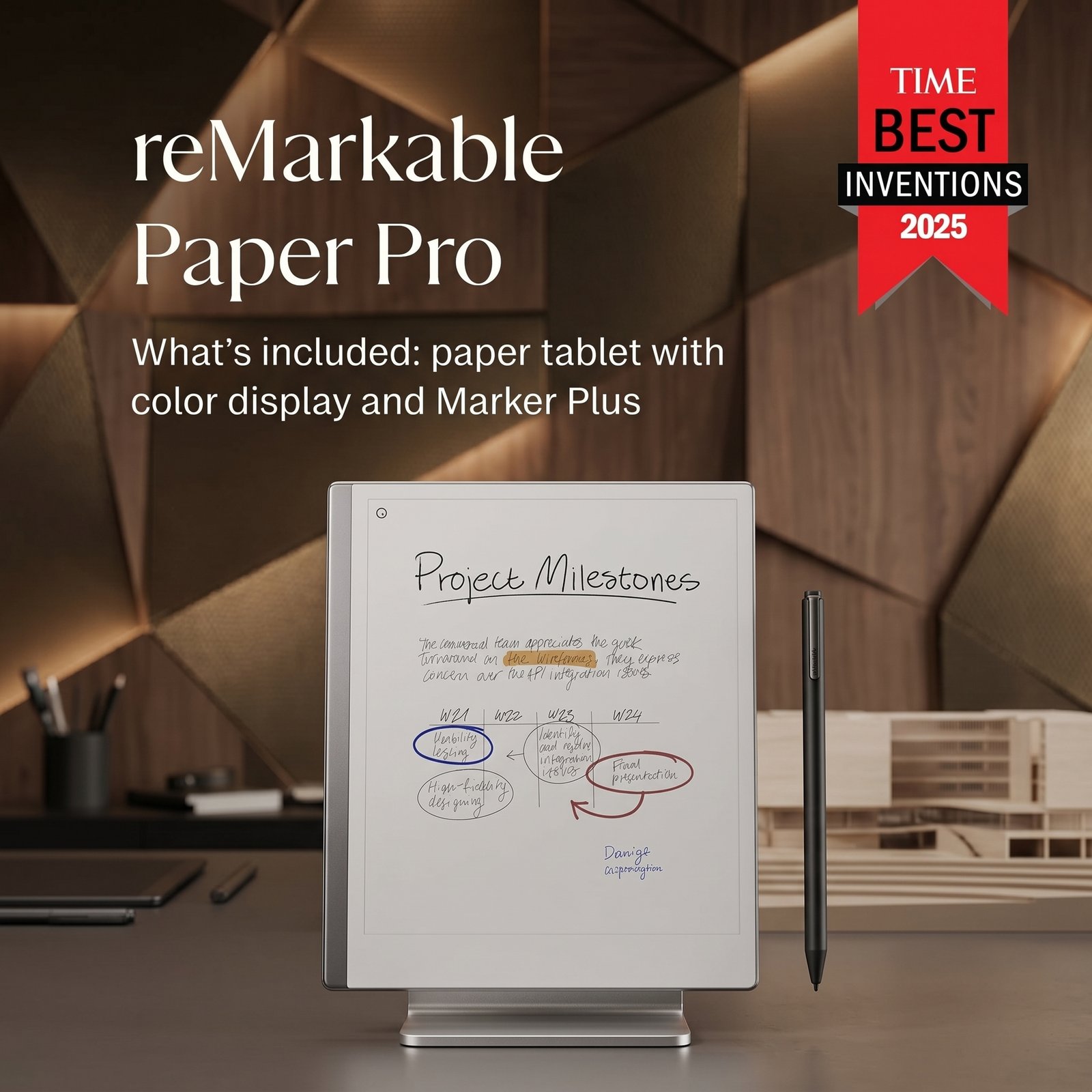
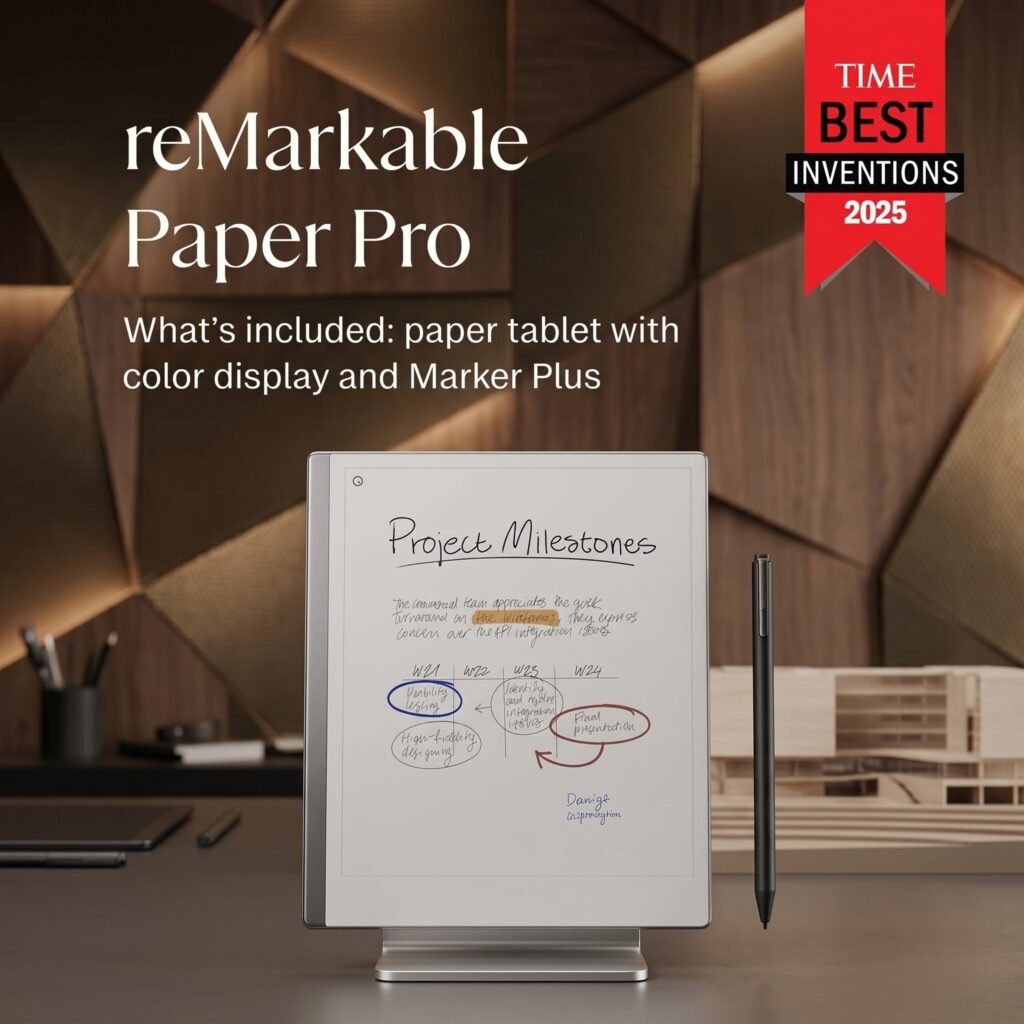
The reMarkable Paper Pro Bundle includes the 11.8″ reMarkable Paper Tablet and the new Marker Plus Pen with a built-in eraser. This is the flagship paper tablet from the Norwegian company reMarkable, and it represents a significant leap forward—introducing color (a Canvas Color display based on E Ink Gallery 3), a brighter and larger screen, an adjustable front light, and 40% faster responsiveness than its predecessor.
Who Is the reMarkable Paper Pro For? (Target Audience)
Before I dive deeper into this reMarkable Paper Pro Bundle review, let’s talk about who this product is actually built for. The reMarkable Paper Pro is not a general-purpose tablet—and that’s the point.
Ideal Users for the reMarkable Paper Pro Bundle
- Knowledge workers and consultants who annotate PDFs, take meeting notes, and want a distraction-free environment.
- Students in college, graduate school, or professional programs (law, medicine, MBA) who handle massive PDF libraries.
- Writers, journalists, and researchers who outline, draft, and brainstorm in long-form.
- Designers, architects, and illustrators who sketch concepts and want a paper-like surface with color.
- Executives who replace stacks of paper notebooks with one elegant device.
- Minimalists and digital-detox seekers who want the benefits of digital storage without the distractions of apps and notifications.
Who Might Not Benefit
The reMarkable Paper Pro is not for everyone. If you want to watch Netflix, play games, scroll TikTok, or read graphic-heavy magazines, look elsewhere—an iPad Pro is your friend. The Canvas Color display is beautiful but pastel and slower than LCD, so it isn’t designed for animation, video, or vibrant photo editing. Casual users who only jot a quick note now and then will also find the price hard to justify. Finally, those who need a fully-featured productivity suite with extensive third-party apps may find the reMarkable Paper Pro Bundle too narrow in scope.
If you’re someone who genuinely thinks better with a pen in hand and wants to digitize that habit, the reMarkable Paper Pro is custom-built for you.
Product Overview & Summary Box
Here’s the at-a-glance summary of the reMarkable Paper Pro Bundle review:
| Feature | Details |
|---|---|
| Product Name | reMarkable Paper Pro Bundle |
| What’s Included | 11.8″ reMarkable Paper Tablet + Marker Plus Pen with Eraser |
| Display | 11.8″ Canvas Color (E Ink Gallery 3), 2160 x 1620, 229 PPI |
| Reading Light | Adjustable front light |
| Storage | 16 GB |
| Connectivity | Wi-Fi, USB-C |
| Operating System | Codex (Linux-based) |
| Weight | ~525 g |
| Thickness | 5.1 mm |
| Latency | Industry-leading, 40% faster than reMarkable 2 |
| Bundle Variants | Standard, Mosaic Weave Folio, Leather Folio |
| Price (Base Bundle) | ~$629–$679 (varies by retailer/promotion) |
| Star Rating (My Score) | ⭐⭐⭐⭐½ (4.6 / 5) |
Key Standout Features
- ✅ 11.8″ color E Ink display—first true paper-feel color tablet at this size
- ✅ Marker Plus included with built-in eraser
- ✅ Adjustable front reading light for low-light use
- ✅ Cloud sync via reMarkable app (desktop + mobile)
- ✅ Handwriting-to-text conversion in multiple languages
- ✅ Premium build quality with aluminum chassis
👉 Click here to check the current price of the reMarkable Paper Pro Bundle on Amazon
In-Depth Review: 5 Best Features of the reMarkable Paper Pro Bundle
1. Appearance & Design — A Minimalist Masterpiece
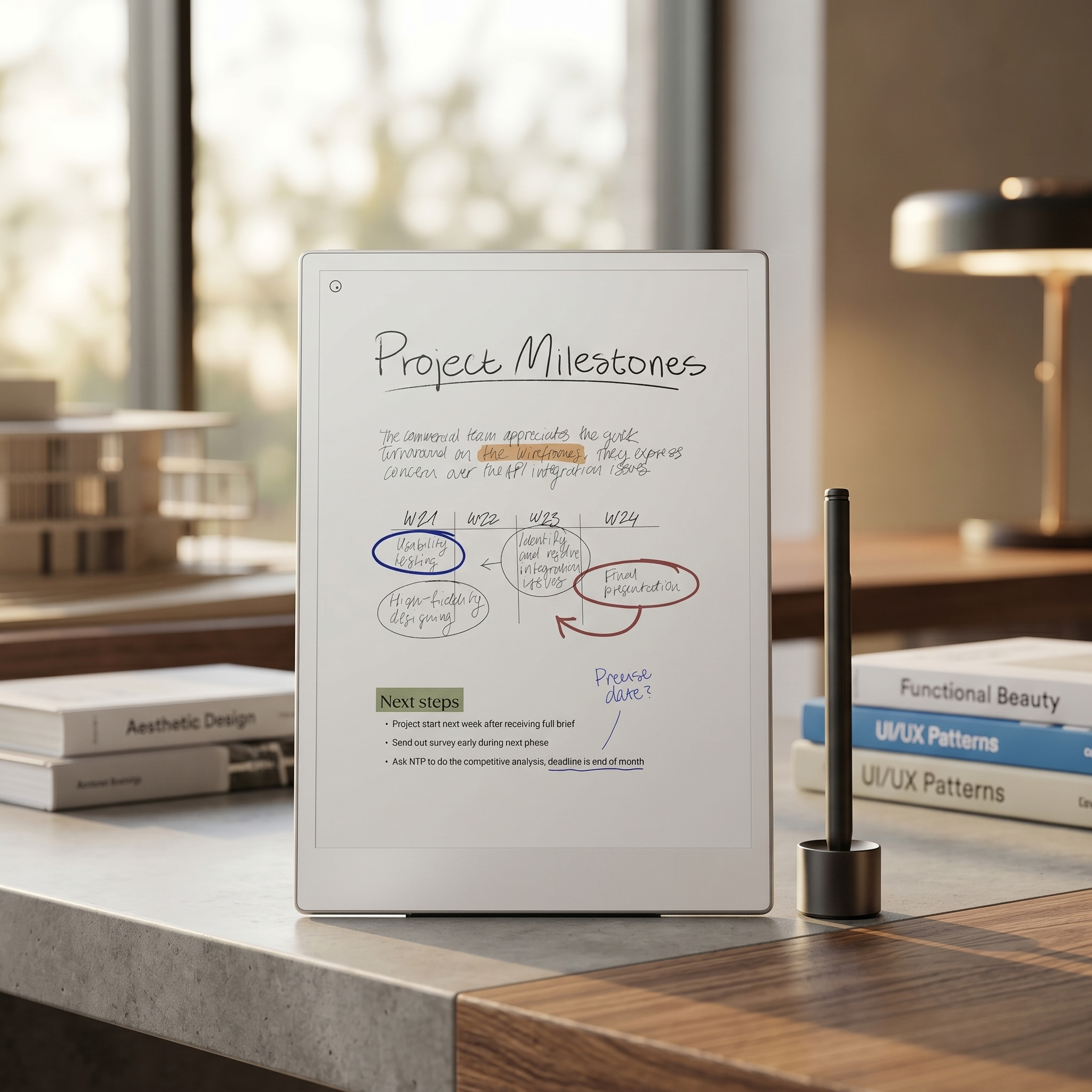
The first time you pick up the reMarkable Paper Pro, you instantly understand what reMarkable means by “premium minimalism.” The device measures 11.8 inches diagonally with a 4:3 aspect ratio—much closer to a standard letter-sized notebook than the long, narrow shape of most tablets. At just 5.1 mm thick and around 525 g, it feels remarkably (pun intended) light for its size.
The chassis is precision-milled aluminum, with a slim bezel on the writing edge and a thicker grip bezel on the side. The Marker Plus magnetically clicks to the right edge of the tablet—satisfying, secure, and easy to access. The device ships in either a graphite gray or a stealthier dark slate, depending on the bundle.
What really elevates the look in this reMarkable Paper Pro Bundle review is the optional folio. The reMarkable Paper Pro Bundle Mosaic Weave version comes with a Basalt mosaic weave book folio that gives the tablet a textured, almost fabric-leather hybrid feel—modern, professional, and great in business settings. The reMarkable Paper Pro Bundle with Leather Folio ups the elegance further with full-grain leather that ages gracefully and projects executive-level sophistication.
Whichever folio you pick, the tablet still feels gorgeous unclothed. It’s the kind of device you set down on a café table and people glance over wondering what it is.
2. Performance & Features — Color E Ink Done Right
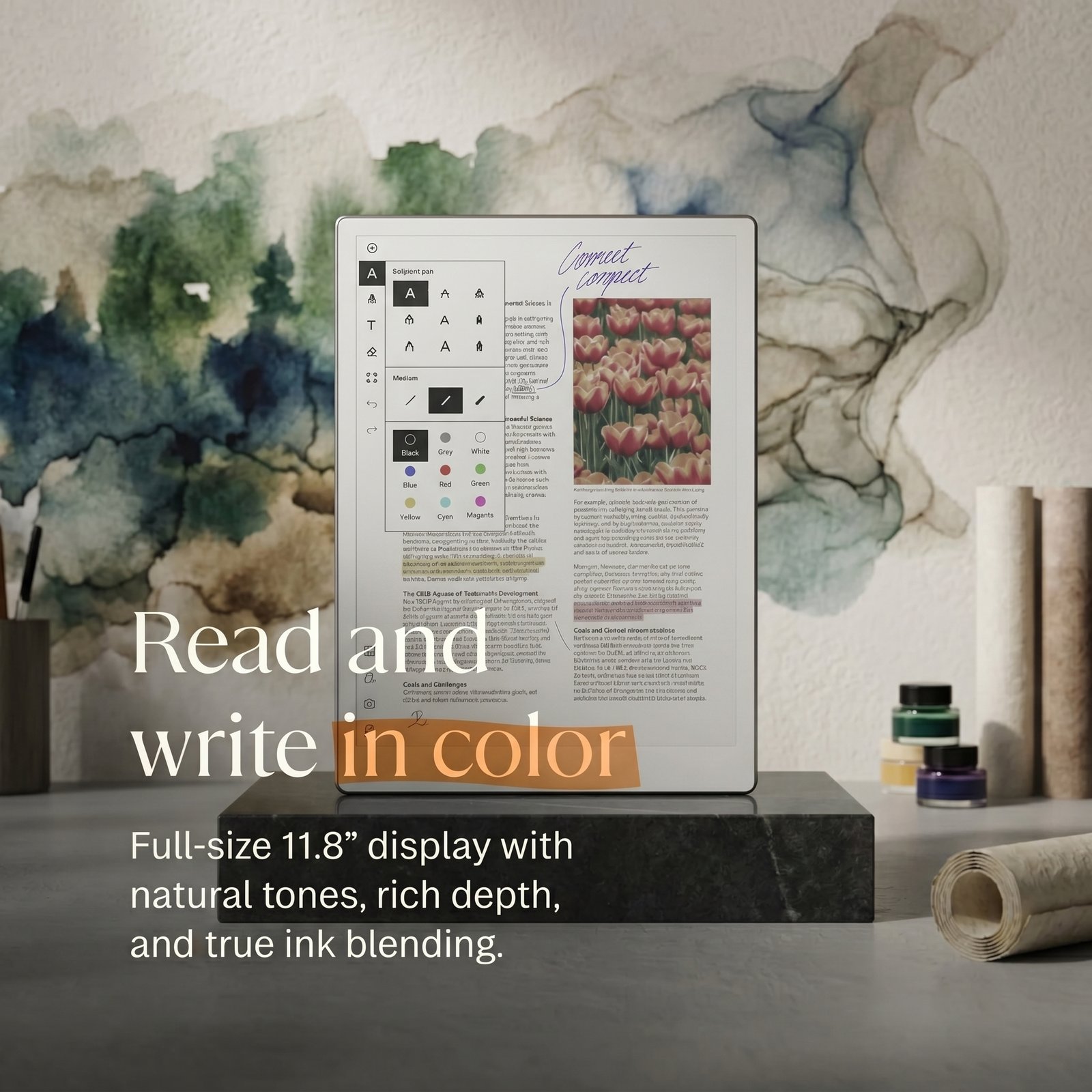
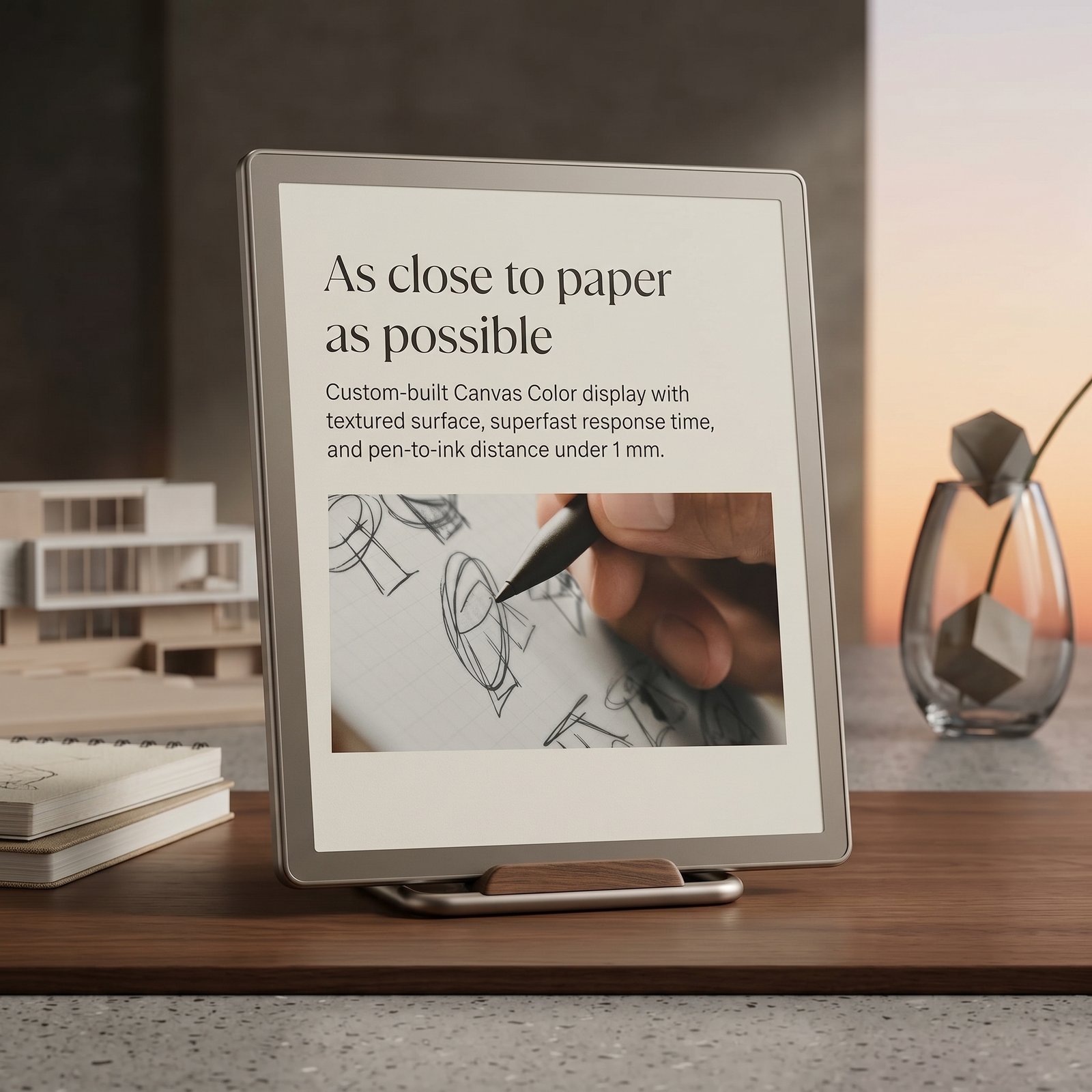
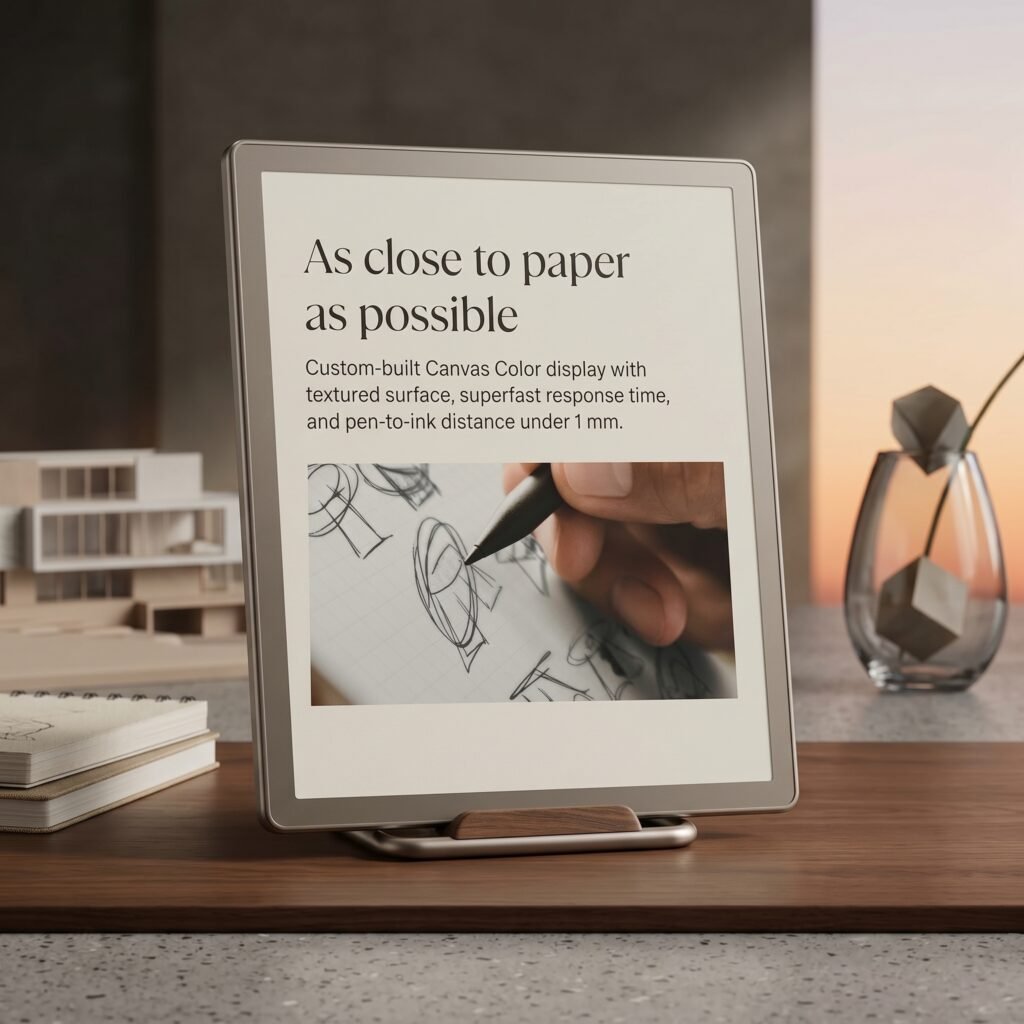
Here’s where the reMarkable Paper Pro truly distinguishes itself. The Canvas Color display, built on E Ink Gallery 3 technology, is reMarkable’s own custom display stack. It produces soft, pastel colors that won’t blow you away like an iPad, but they’re more than enough for highlighting, mind-mapping, color-coded notes, and lightly illustrated sketches.
The screen resolution is 2160 x 1620 (229 PPI). Text looks razor-sharp—reading PDFs, ePub books, and lengthy documents is genuinely a joy. The adjustable front light is one of my favorite quality-of-life upgrades over the reMarkable 2; I can comfortably take notes in bed without disturbing my partner.
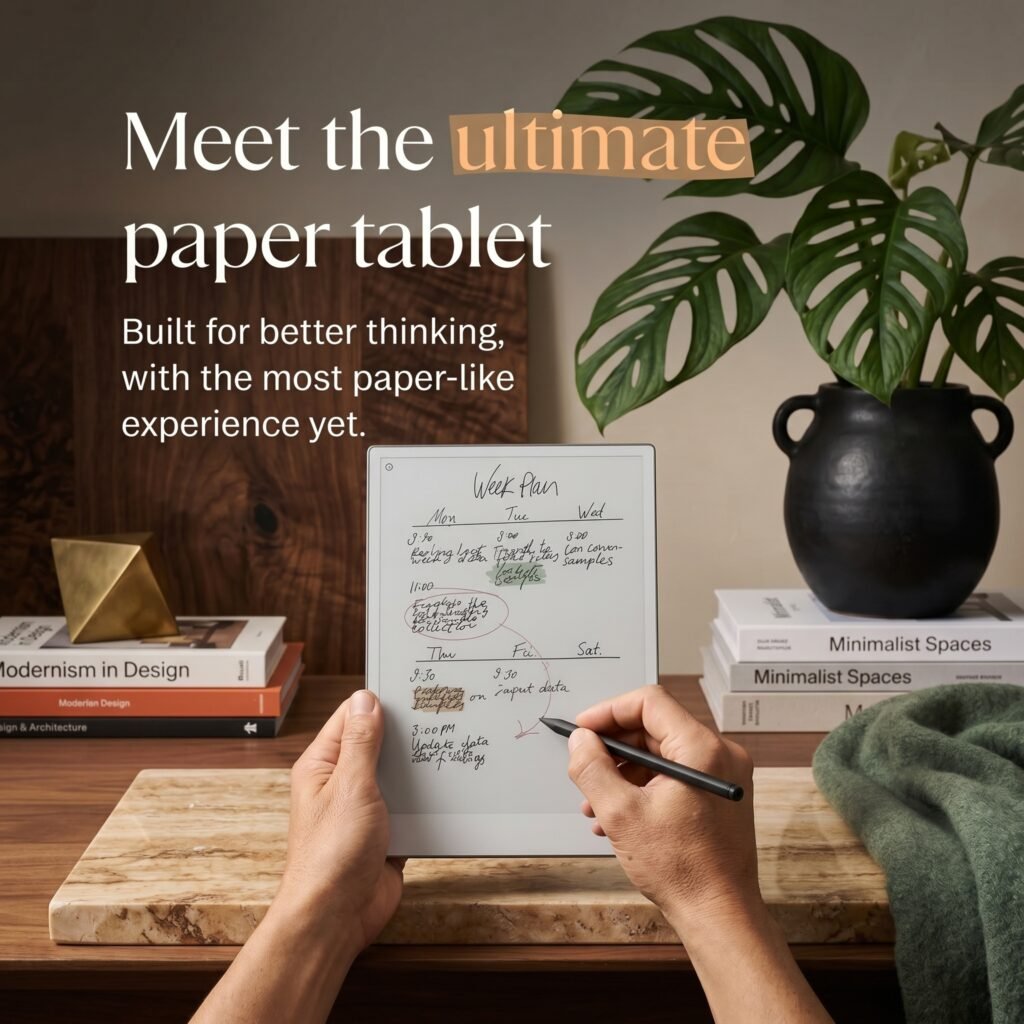
Now, the writing experience. This is the soul of the reMarkable Paper Pro Bundle, and it does not disappoint. Latency has been reduced by about 40% versus the reMarkable 2, and combined with the new Marker Plus, the result is the closest “pen on paper” feel I’ve experienced on a digital device. The Marker Plus features a built-in eraser on the top end—flip the pen, rub, and your strokes vanish. It’s so natural that I forget I’m using a tablet.
Other powerful features in this reMarkable Paper Pro Bundle review worth highlighting:
- Nine writing tools: ballpoint, fineliner, marker, pencil, mechanical pencil, paintbrush, highlighter, calligraphy pen, and shading pencil.
- Multiple templates: dot grid, lined, planner pages, music sheets, storyboards, and more.
- Layers: Like Photoshop-lite for sketches.
- Handwriting-to-text (HTR): Convert handwritten notes into editable typed text across 30+ languages.
- Cloud sync: Notes and PDFs automatically sync with the free reMarkable desktop and mobile apps.
- Screen Share: Mirror the tablet to your laptop for live whiteboarding during video calls.
- Email integration: Send notes directly from the tablet to any email address.
In short, the reMarkable Paper Pro packs everything a serious note-taker needs—without the bloat of an operating system fighting for your attention.
3. User-Friendliness — Almost Zero Learning Curve
One of the biggest selling points in any reMarkable Paper Pro Bundle review is how approachable it is. Setup takes under 10 minutes: power on, connect to Wi-Fi, create a reMarkable account, and you’re writing. There’s no app store to wade through, no notifications to disable, and no tutorials to slog through. The minimal UI is so intuitive that even my technology-averse father picked it up in minutes.
Navigation is split between a top toolbar (tools, undo, layers) and gesture-based scrolling. Pinch to zoom, tap and hold to move objects, swipe edges for menus. There’s a satisfying logic to the interface—you never feel buried by features.
For power users, the reMarkable desktop app and Connect cloud service let you push PDFs, ePubs, and screenshots to the tablet effortlessly. I drop articles from my browser via the reMarkable Chrome extension and read them later, distraction-free.
The only mild learning curve in this reMarkable Paper Pro Bundle review is mastering layers and tag-based organization. Once you commit to a folder/tag system, however, finding any note from months ago takes seconds.
4. Durability & Quality — Built to Last
The reMarkable Paper Pro is constructed from aluminum with a textured writing surface that resists wear remarkably well. After weeks of daily use, I’ve yet to see any noticeable scratches on the screen, even though I sometimes toss it in my bag without a folio. That said, I’d strongly recommend buying one of the official folios—either the reMarkable Paper Pro Bundle Mosaic Weave or the reMarkable Paper Pro Bundle with Leather Folio.
The Mosaic Weave folio is woven from a polyester-blend material that feels durable and stain-resistant. It’s lighter than the leather version and arguably easier to clean. The Leather Folio, on the other hand, uses full-grain leather that develops a beautiful patina over time. Both folios magnetically attach, fold back cleanly for one-handed use, and include a slot for the Marker Plus.
Battery life on the tablet itself is excellent—reMarkable rates it at up to two weeks of typical use, and in my testing I’ve gone 10–12 days between charges with heavy daily use. The Marker Plus is battery-free; no charging or pairing required, ever.
The Marker Plus tip is a soft polymer that does wear down over time, just like any active stylus. Replacement tips are inexpensive, and reMarkable conveniently sells multipacks. Expect to swap tips every few months if you’re a heavy writer.
In sum, this is a device engineered to be your daily companion for years. The build quality alone justifies a portion of the premium price.
5. Value for Money — Premium Pricing, Premium Payoff
Let’s address the elephant in the room. The reMarkable Paper Pro Bundle is not cheap. Depending on configuration, the base bundle (tablet + Marker Plus) runs around $629–$679 on Amazon. The reMarkable Paper Pro Bundle Mosaic Weave adds about $150–$200 for the textured book folio, and the reMarkable Paper Pro Bundle with Leather Folio is the most premium tier, sometimes pushing the total package past $850.
So is it worth it? In my opinion, yes—for the right user. Here’s how I’d justify the spend:
- It replaces your paper habit. If you go through one Moleskine ($25) per month, that’s $300/year. Five years and you’ve covered the tablet—digitally searchable, infinitely backed up.
- It replaces a portion of your tablet/laptop use. If you bought an iPad Pro + Apple Pencil + Magic Keyboard for note-taking, you’d spend more—and end up with a distraction machine.
- The focus you gain is priceless. There’s no Twitter, no email pop-ups, no Slack pings. Just you and your notes. Many users say the reMarkable Paper Pro has measurably increased their deep-work hours.
If you only need occasional digital notes, this product is overkill. But if writing and reading are core to your workflow, the reMarkable Paper Pro Bundle review verdict is clear: the value is real.
Pros and Cons of the reMarkable Paper Pro Bundle
Here’s a balanced look at the highlights and limitations from this reMarkable Paper Pro Bundle review:
✅ Pros
- True paper-like writing feel with industry-leading low latency
- Gorgeous 11.8″ Canvas Color E Ink display
- Adjustable front light for any lighting condition
- Marker Plus with built-in eraser included in the bundle
- Distraction-free OS = serious productivity boost
- Long battery life (up to two weeks)
- Excellent cloud sync and cross-device access (desktop + mobile apps)
- Handwriting-to-text in 30+ languages
- Premium aluminum build that feels worth the price
- Stunning premium accessories like the Mosaic Weave and Leather Folio
❌ Cons
- Premium pricing—not budget-friendly
- Colors are pastel, not vivid (a trade-off of E Ink Gallery 3)
- Folios are sold separately or in premium bundles, adding cost
- Limited third-party app ecosystem (intentional, but a con for some)
- Cloud Connect (sync) requires a subscription for some advanced features
- No speakers, no microphone—pure note tablet only
- Marker tips wear and need periodic replacement
Alternatives & Comparisons
No reMarkable Paper Pro Bundle review is complete without comparing it to its main rivals. Here are the top alternatives worth considering.
reMarkable Paper Pro vs reMarkable 2
The reMarkable 2 is still on sale and remains a fantastic monochrome paper tablet. It’s smaller (10.3″), lighter, and considerably cheaper (often around $399 with a Marker). However, it lacks color, has no front light, and is roughly 40% slower in pen response.
Choose the reMarkable 2 if: You’re cost-conscious, prefer a smaller size, or don’t care about color and front-light features.
Choose the reMarkable Paper Pro Bundle if: You want the larger 11.8″ screen, color highlights, a reading light for night work, and the snappier Marker Plus experience.
reMarkable Paper Pro vs Kindle Scribe
Amazon’s Kindle Scribe is the obvious competitor. It’s significantly cheaper (often under $400), has a similar 10.2″ E Ink screen, and is tightly integrated with Amazon’s massive ebook library. However, the writing experience is noticeably less natural; PDF annotation is more limited; and the Scribe’s UI is more closed.
Choose Kindle Scribe if: You already live in the Amazon ecosystem and primarily want to read Kindle books with light annotation.
Choose the reMarkable Paper Pro if: Note-taking, PDF annotation, and a professional writing experience are your priorities.
reMarkable Paper Pro vs Boox Note Air 3 C
The Boox Note Air 3 C is another color E Ink tablet that runs Android, opening it up to apps like Kindle, OneNote, and Google Drive. It’s roughly the same price range but offers more flexibility—and more potential for distraction.
Choose Boox if: You want an open Android ecosystem and don’t mind a slightly less refined writing experience.
Choose the reMarkable Paper Pro Bundle if: You want the cleanest, most focused note-taking environment with the most premium hardware.
Frequently Asked Questions (FAQ)
1. Does the reMarkable Paper Pro Bundle include a folio?
The base bundle on the Amazon listing includes the 11.8″ reMarkable Paper Tablet and the Marker Plus Pen with Eraser, but not a folio. For folio bundles, look at the reMarkable Paper Pro Bundle Mosaic Weave or the reMarkable Paper Pro Bundle with Leather Folio listings, which include a matching cover.
2. Can I read Kindle books on the reMarkable Paper Pro?
Not natively. The reMarkable Paper Pro supports PDFs and ePubs, so you can side-load DRM-free books via the desktop or mobile app. Kindle’s proprietary format is not directly supported.
3. Is a subscription required to use the reMarkable Paper Pro?
No, the device works fully offline without a subscription. However, the optional Connect subscription unlocks unlimited cloud sync, integrations with services like Google Drive, and other premium features. Many users find the free tier sufficient.
4. How does the Marker Plus differ from the standard Marker?
The Marker Plus, included in the reMarkable Paper Pro Bundle, has a built-in eraser on the top end—flip the pen and rub to erase. The standard Marker (sold separately for the reMarkable 2) lacks this feature. Both are battery-free and never need charging.
5. Is the screen prone to scratches or screen burn?
The textured writing surface is durable, and E Ink screens don’t suffer from burn-in like OLED. That said, using a folio (Mosaic Weave or Leather) is recommended if you carry it daily, and Marker tips should be swapped occasionally to avoid grinding the surface.
Final Verdict & Call to Action
After spending substantial time with the reMarkable Paper Pro Bundle, my conclusion is straightforward: this is the most refined, premium digital paper tablet on the market right now. The 11.8″ Canvas Color display is genuinely stunning. The Marker Plus with eraser turns note-taking into a pleasure. The build quality, battery life, and distraction-free OS make it a productivity weapon for anyone who lives in notes, PDFs, and meetings.
Is it expensive? Yes. Is it worth it for the right person? Absolutely. If you’re a knowledge worker, student, writer, designer, or executive who’s been chasing the perfect “digital paper” experience, the reMarkable Paper Pro is the closest thing yet. The optional reMarkable Paper Pro Bundle Mosaic Weave and reMarkable Paper Pro Bundle with Leather Folio versions take it from professional to executive-grade.
My final score for this reMarkable Paper Pro Bundle review: ⭐ 4.6 / 5 — easily one of the best digital tools I’ve added to my workflow in the past five years.
🚀 Ready to Upgrade Your Note-Taking Game?
👉 Click here to check the latest price of the reMarkable Paper Pro Bundle on Amazon and see why this paper tablet is becoming the go-to choice for professionals, students, and creatives who want to think more clearly, write more freely, and ditch paper for good.
If you’ve ever dreamed of carrying every notebook you’ll ever own in a single, elegant device—this is your moment. Grab the reMarkable Paper Pro Bundle today and rediscover why writing by hand is still the best way to think.
Disclosure: This post may contain Amazon affiliate links. If you purchase through these links, I may earn a small commission at no extra cost to you. All opinions in this reMarkable Paper Pro Bundle review are my own based on hands-on use.
Related reviews: