Table of Contents
Introduction: Is the Cozyla Smart Digital Calendar the Family Organizer You’ve Been Waiting For?
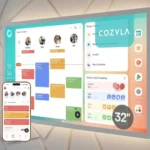
If you’ve ever stared at a cluttered refrigerator door — sticky notes competing with soccer schedules, meal plans scrawled on napkins, and a paper calendar that nobody updates — then the Cozyla Smart Digital Calendar might just feel like a gift from the organizational gods. This sleek, 24-inch touchscreen wall display promises to replace the chaos of analog family planning with one beautifully unified digital hub. And honestly? After spending serious time digging into this product, I think it largely delivers.
The Cozyla digital calendar is more than just a pretty screen on your wall. It’s a full-fledged electronic wall planner for kitchen and living spaces, complete with a chore chart, meal planner, family event system, and — here’s the kicker — no subscription fees. That last detail alone is enough to turn heads in a market crowded with calendar apps that nickel-and-dime you every month.
In this in-depth Cozyla digital calendar review, I’ll walk you through all five of its best features, break down who it’s really designed for, compare it to popular alternatives like the Skylight Calendar, and give you my honest verdict. Whether you’re a busy parent trying to herd a household, a remote worker craving structure, or simply someone who loves a well-organized home, keep reading — this review is written for you.
Who Is the Cozyla Smart Digital Calendar For?
Before we dive into features, let’s talk about the target audience, because this product isn’t for everyone — and that’s okay.
Ideal Customers:
Busy families with multiple schedules to manage are the core audience here. If you have two or more kids with different school schedules, activities, and chore assignments, a shared digital family calendar on the wall is a game-changer compared to shouting reminders across the house.
Parents who want a low-tech interface for their kids will appreciate the touchscreen simplicity. You don’t need to hand your eight-year-old your smartphone to let them check if it’s their turn to walk the dog.
This product is also perfectly suited for home cooks and meal planners. The built-in meal planner section transforms the Cozyla Smart Digital Calendar into an elegant digital calendar with notepad for family meal tracking — no more “what’s for dinner?” debates.
Tech-savvy homeowners who are building out a smart home ecosystem will appreciate the App Store support, which means you can install third-party apps to extend its functionality well beyond the defaults.
Finally, budget-conscious buyers who are tired of paying monthly fees for family calendar apps like Cozi or OurHome will love the smart family calendar no subscription model that Cozyla offers.
Who Might NOT Be the Right Fit:
- Single adults or couples without kids, who may find the feature set overbuilt for their needs
- Those who prefer minimalist aesthetics and might find a 24-inch wall screen too dominant
- Anyone already deeply embedded in Google Calendar or Apple’s ecosystem who doesn’t want to migrate workflows
- Households with very limited wall space in high-traffic areas
Product Overview & Summary Box
Quick Glance: Cozyla Calendar Plus 2 at a Glance
| Feature | Details |
|---|---|
| Product Name | Cozyla Calendar Plus 2 |
| Screen Size | 24 inches |
| Display Type | Smart Touchscreen |
| Subscription Required | No |
| App Store Support | Yes |
| Key Functions | Family Dashboard, Chore Chart, Meal Planner, Electronic Notepad |
| Mounting | Wall Mount Included |
| Best For | Families, Busy Parents, Home Organizers |
| Our Rating | ⭐⭐⭐⭐½ (4.5/5) |
| Amazon Link | Check Latest Price on Amazon |
In-Depth Review: The 5 Best Features of the Cozyla Smart Digital Calendar
Now let’s get into the heart of this Cozyla digital calendar review — the five standout features that make this product worth serious consideration.
Feature #1: The 24-Inch Touchscreen Display — Appearance & Design
Let’s start with the obvious: this thing looks good.
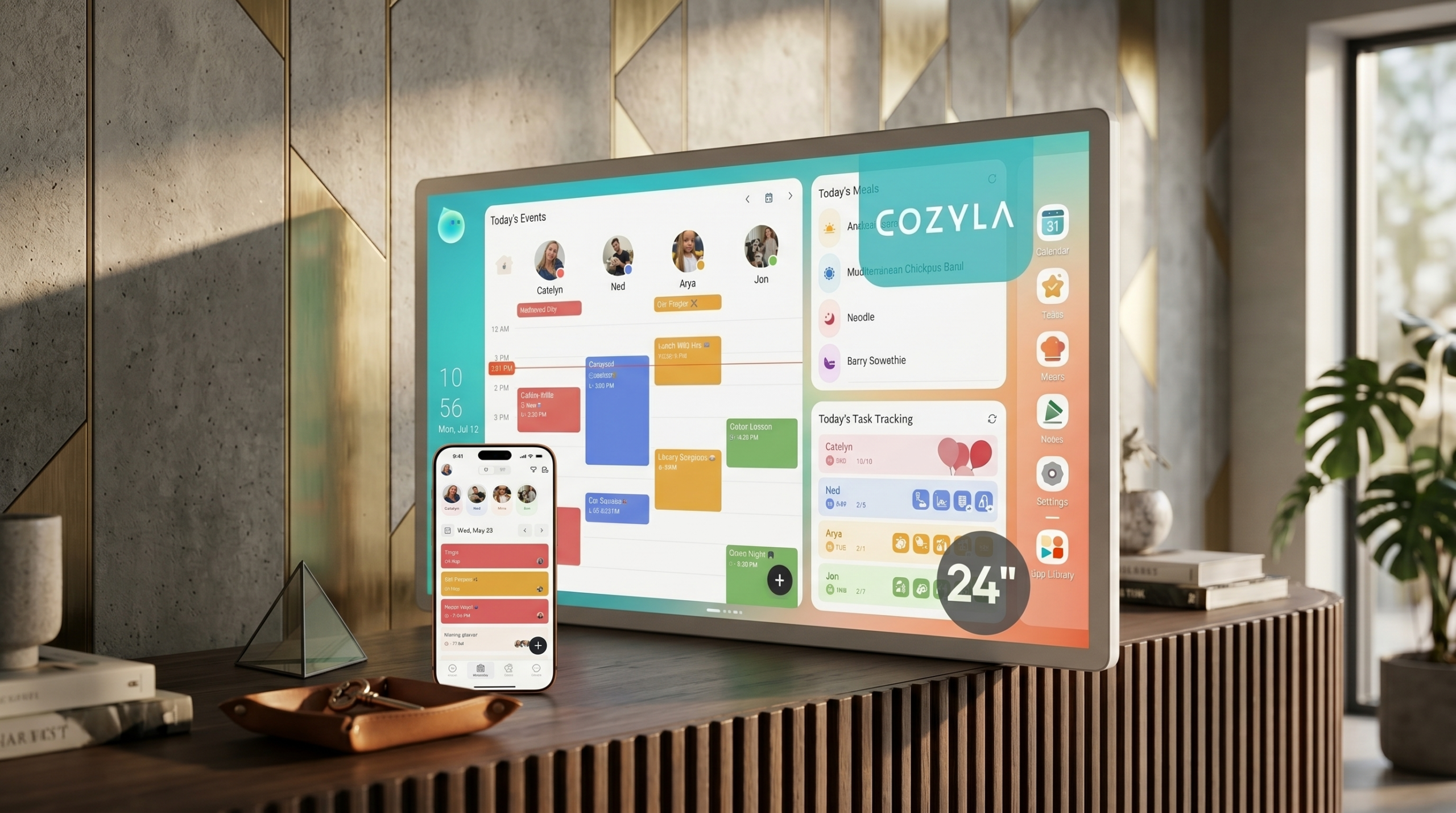
The Cozyla Calendar Plus 2 sports a generous 24-inch display housed in a slim, modern frame that doesn’t scream “tech gadget” — it actually looks like something you’d see in an interior design magazine. The matte finish on the bezel helps it blend into kitchen and living room walls without the cheap plastic feel you sometimes get with smart displays in this price range.
The screen resolution is crisp and readable from across the room, which matters enormously for a wall-mounted device. Color contrast is well-calibrated, meaning both the calendar grid and the meal planner widgets pop clearly without being harsh on the eyes. Even in bright kitchens with natural light streaming in, readability holds up better than you’d expect.
Wall mounting is straightforward. The package includes all the hardware you need, and the bracket design allows for minor adjustments after initial installation — a small but thoughtful touch that anyone who’s ever wrestled with a crooked wall-mounted TV will deeply appreciate.
At 24 inches, it’s large enough to function as a true electronic wall planner for kitchen spaces — you can read it from the other side of an open-plan living area — but not so large that it overwhelms a normal-sized wall. It hits a sweet spot that most competing products either overshoot or miss entirely.
Design Score: 9/10
Feature #2: Family Dashboard — Performance & Core Features
The family dashboard is where the Cozyla Smart Digital Calendar really earns its name. Think of it as mission control for your household.
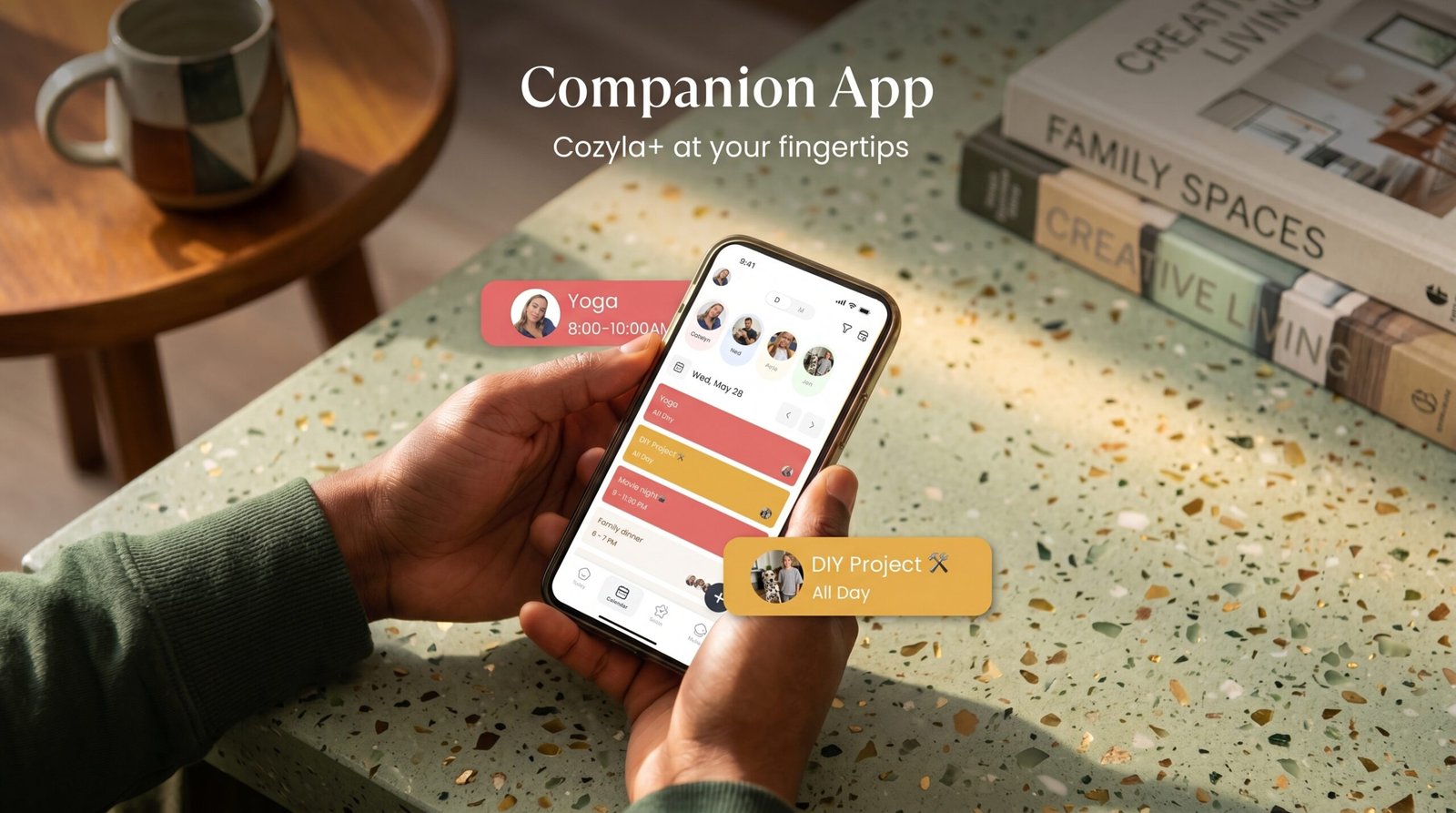
The dashboard presents a real-time overview of the entire family’s schedule — color-coded by family member, so you can tell at a glance who has what on any given day. You can set up individual profiles for each family member, assign colors, and then populate everyone’s events either via the touchscreen directly or through a companion app on your smartphone.
What sets the Cozyla dashboard apart from a standard Google Calendar display is the depth of integration. This isn’t just a screen mirroring your phone — it’s an active, interactive planning system. You can tap on any day to add events, swipe between weekly and monthly views, and set recurring reminders that auto-populate without requiring weekly manual input.
The touchscreen responsiveness is solid. There’s no perceptible lag when navigating between views or tapping on event entries, which sounds like a baseline expectation but is surprisingly absent in several competing products. Nobody wants to jab at a sluggish screen while also managing breakfast chaos.
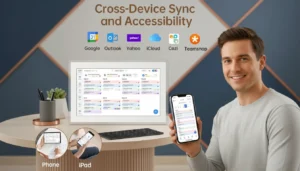
Syncing with external calendars (Google Calendar, iCal) is supported, which means you don’t have to abandon your existing digital life — you can pull those events into the Cozyla dashboard automatically. This cross-platform sync capability is a major reason the Cozyla Smart Digital Calendar earns high marks among users who already live in Google’s ecosystem but want a more prominent household display.
Performance Score: 8.5/10
Feature #3: No-Subscription Model — Value & Smart Family Calendar
Let’s talk about what may be the Cozyla Smart Digital Calendar’s single biggest competitive advantage: zero subscription fees.
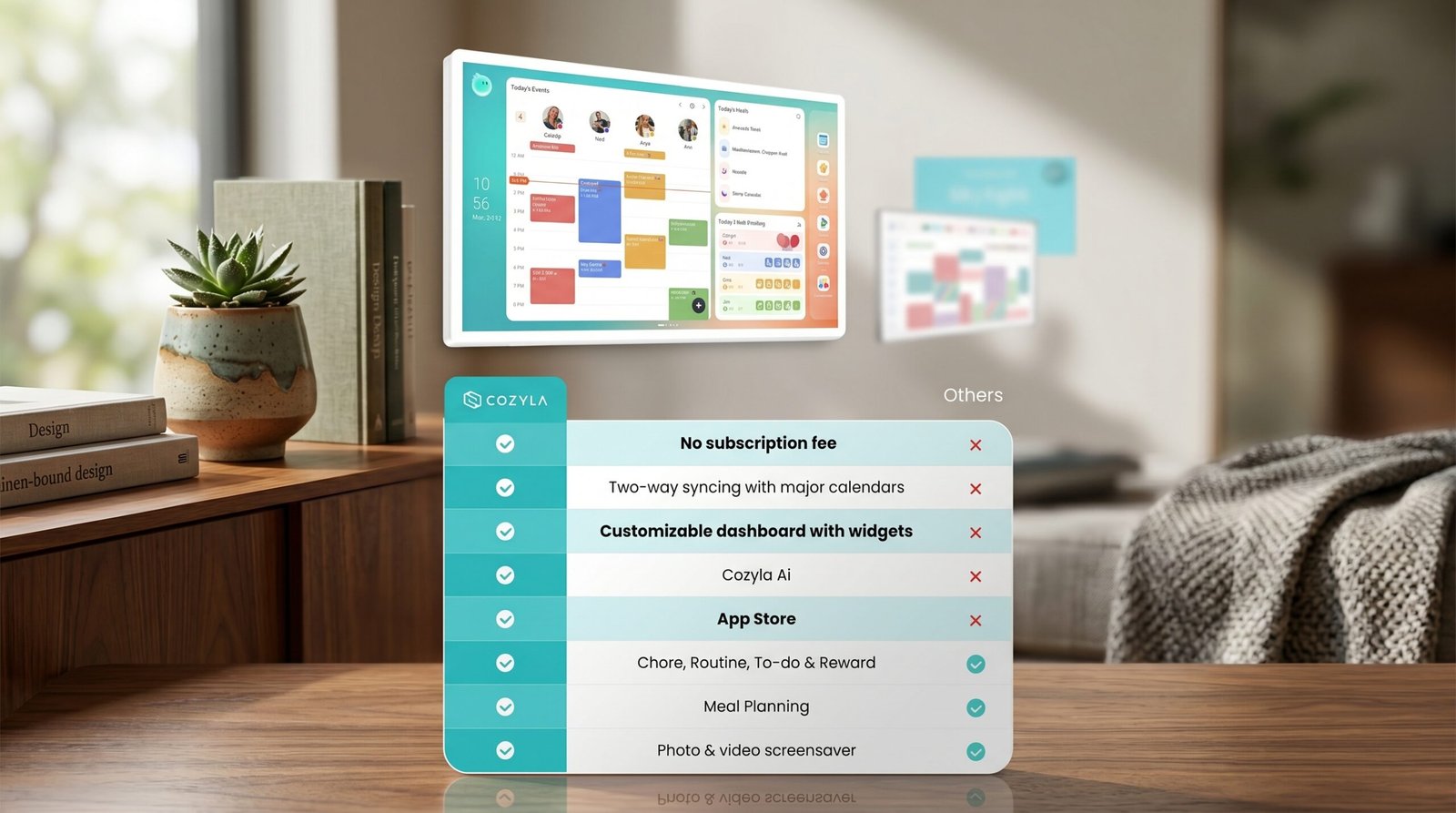
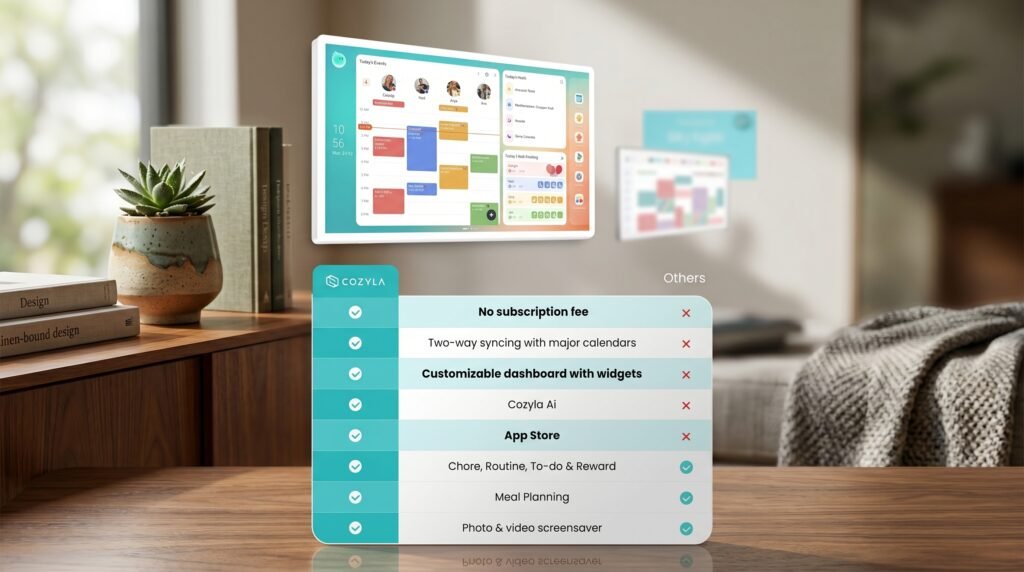
In a market where Skylight Calendar charges a monthly fee for full feature access, and where most “smart” family organizers are essentially hardware dongles that unlock a SaaS app, Cozyla’s decision to build a fully functional system with no ongoing cost is genuinely refreshing.
This matters a lot when you calculate total cost of ownership. A competing product at a similar or slightly lower hardware price but with a $7.99/month subscription fee costs you an additional ~$96 per year. Over three years, that’s nearly $300 in subscription fees on top of hardware — meaning the Cozyla calendar could actually be the more affordable option long-term, even if its upfront price is comparable or slightly higher.
The no-subscription model also means there’s no risk of features being paywalled in a future update, no credit card to remember to cancel, and no anxiety about price increases. You buy it, you own it, it works.
For best digital calendar for busy moms searches on Google, this feature alone pushes Cozyla into top-of-list territory. Parents managing household budgets don’t want another monthly expense on the credit card statement.
Value Score: 9.5/10
Feature #4: Chore Chart & Meal Planner — User-Friendliness
This is where the Cozyla becomes a genuinely useful parenting tool rather than just a shiny tech novelty.
Chore Chart
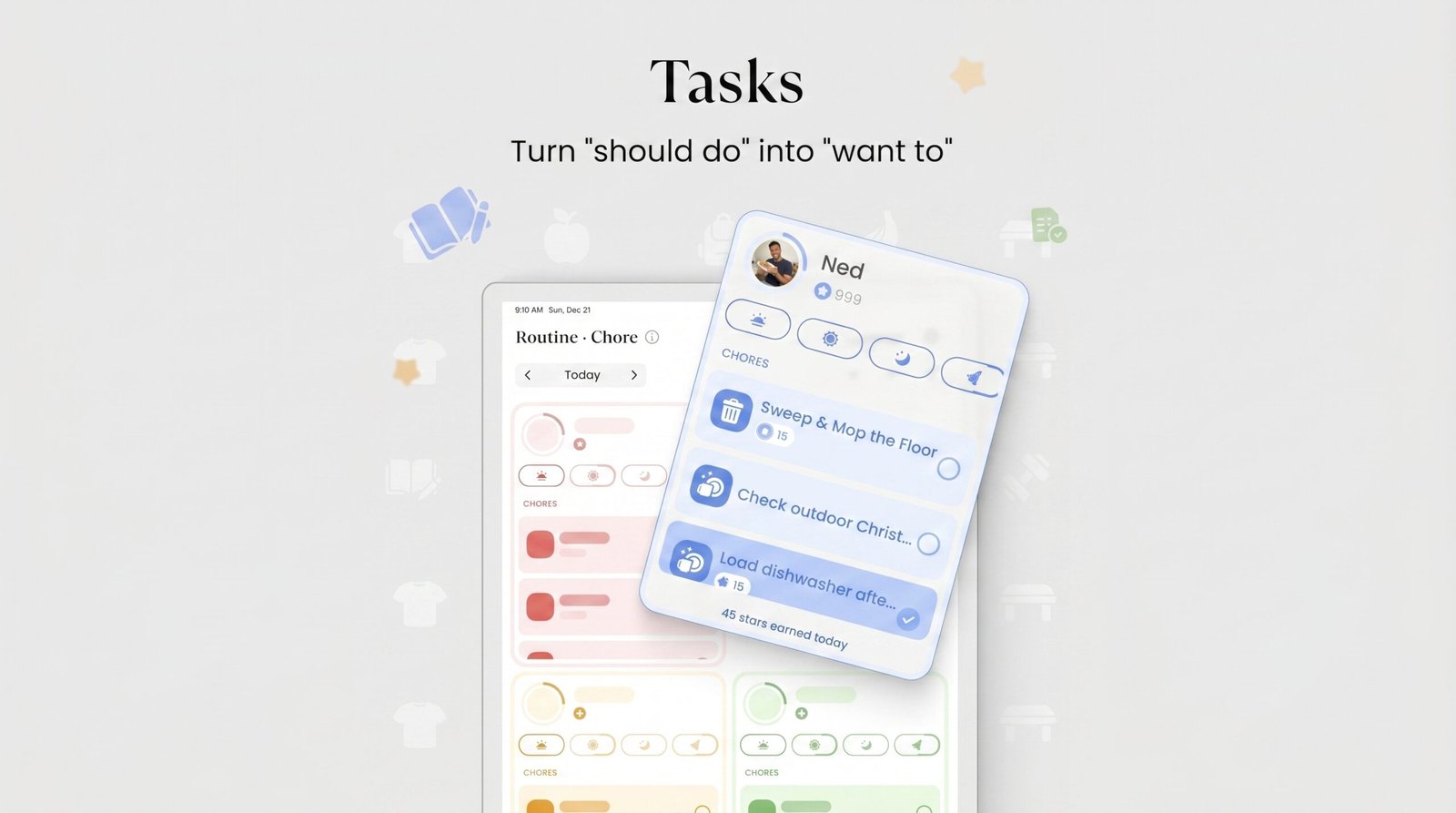
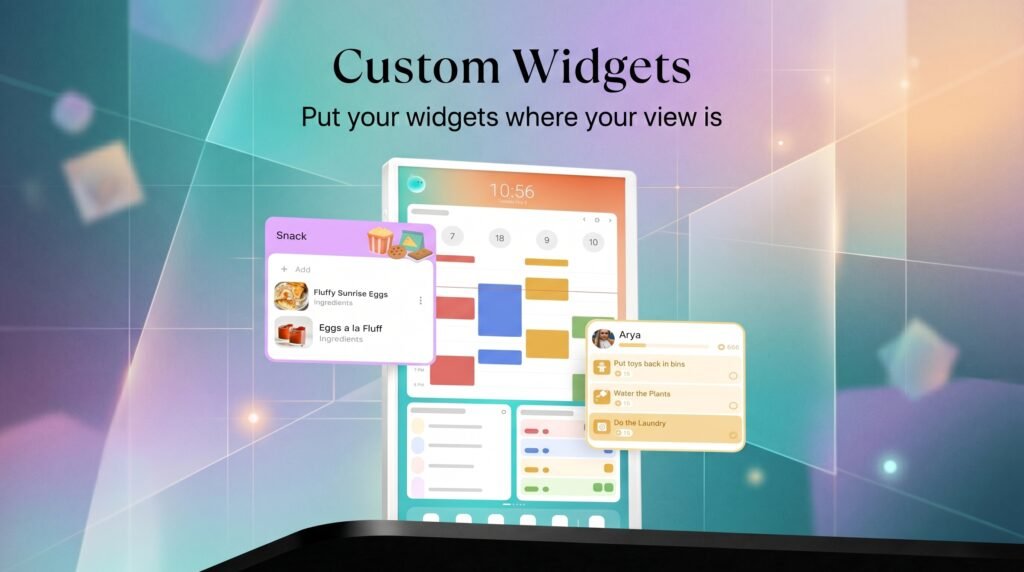
The built-in chore chart allows you to assign tasks to individual family members on a daily or weekly basis. Tasks appear on the main dashboard, and — crucially — kids can check off completed chores directly on the touchscreen. This simple interaction loop creates accountability without requiring parental follow-up at every step.
You can add custom chores, set repeat schedules, and configure visual indicators for completion. Some families have reported using this feature as a natural screen time incentive: chores get done faster when the reward is visible and the tracking is transparent.
Setup is intuitive enough that most families can configure the chore chart without consulting the manual. The interface uses large, readable icons and text, which makes it accessible even for younger children who are just learning to read.
Meal Planner
The meal planner widget transforms the Cozyla digital calendar into a true digital calendar with notepad for family meal organization. You can plan meals for the week in advance, and the display shows each day’s planned meals at a glance on the dashboard.
There’s also a shopping list integration — planned meals can generate ingredient reminders, which you can then check off as you shop. It’s not as sophisticated as a dedicated meal planning app, but for a built-in feature on a wall calendar, it’s impressively well-thought-out.
The learning curve for the full system is moderate. Basic calendar functions are immediately intuitive; more advanced features like the App Store integrations or cross-device sync may take an hour or two to configure properly. But once set up, daily use is simple enough that the whole family can participate without ongoing tech support.
Usability Score: 8/10
Feature #5: App Store Support — Durability, Flexibility & Long-Term Quality
The fifth standout feature — and perhaps the most forward-looking — is the Cozyla’s support for third-party apps via an integrated App Store.
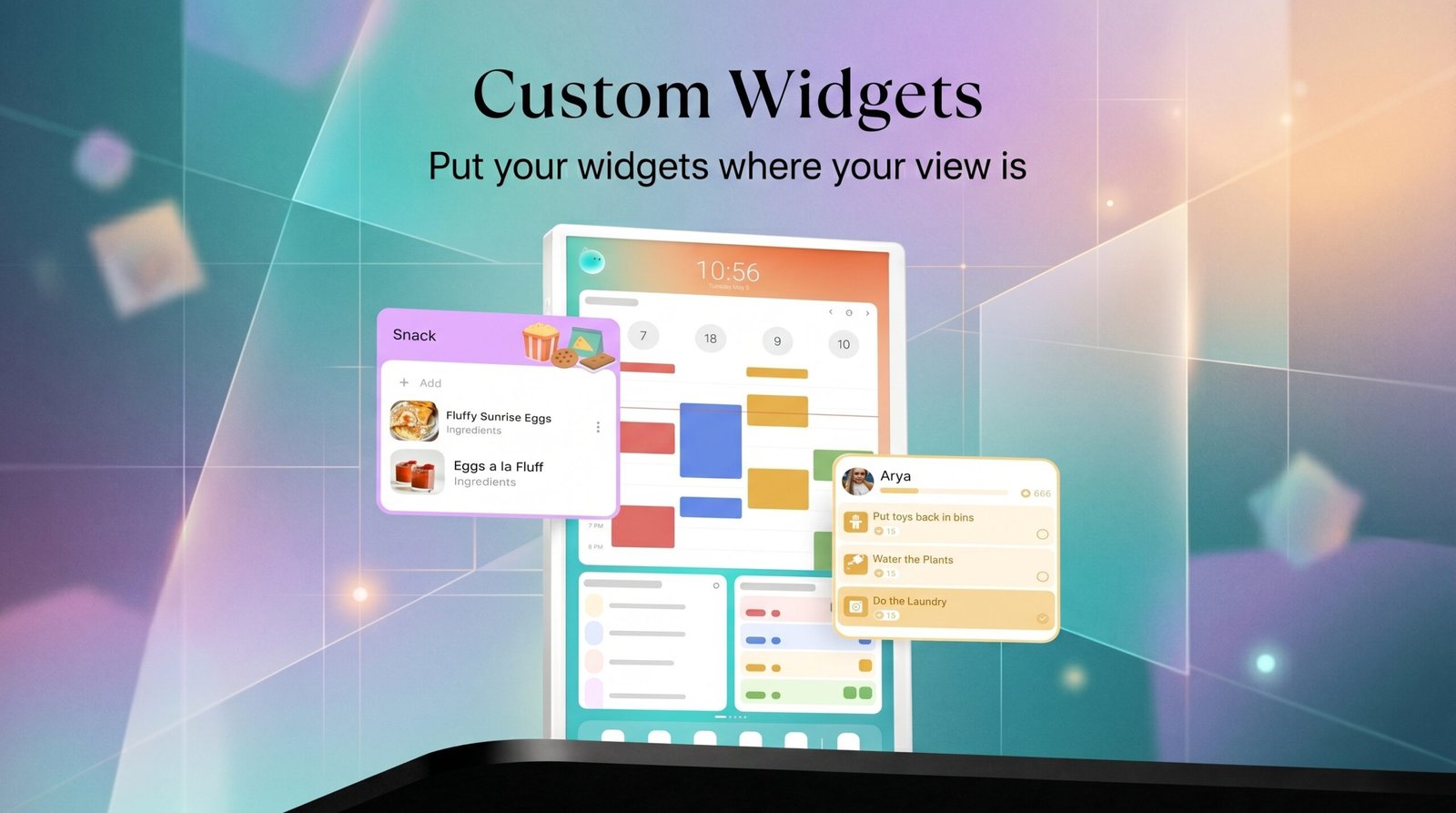
This is where the Cozyla Smart Digital Calendar transitions from a purpose-built family organizer into something more like a smart home platform. Because you can install apps, the feature set of the device isn’t fixed at the time of purchase — it can grow and adapt over time as new applications become available.
In practice, this means you could add weather widgets, news feeds, smart home controls, grocery delivery integrations, or educational apps for kids. For tech enthusiasts who want a device that can evolve with their needs, this extensibility is enormously valuable.
From a durability standpoint, the App Store support also means the device is less likely to become obsolete. A calendar that relies entirely on proprietary software from a single vendor is at the mercy of that vendor’s business decisions. A device with App Store support has a broader ecosystem of developers keeping it relevant.
Build quality is sturdy. The display doesn’t flex or creak when you touch it, the wall mount feels solid and doesn’t shift with daily use, and the overall construction quality is consistent with a premium home electronics purchase. This doesn’t feel like a product that will deteriorate noticeably within the first year or two of regular family use.
Durability & Flexibility Score: 8.5/10
Pros & Cons: The Balanced Truth
✅ Pros
- No subscription fees — significant long-term savings compared to competitors
- Large, clear 24-inch touchscreen — readable from across the room
- Comprehensive family dashboard — color-coded profiles, multi-member scheduling
- Built-in chore chart and meal planner — genuinely useful parenting and household tools
- App Store support — extends functionality and ensures long-term relevance
- Google Calendar and iCal sync — integrates with existing digital workflows
- Intuitive touchscreen — responsive, minimal lag, easy for all ages
- Clean, modern design — aesthetically neutral enough for most home styles
- Wall mount included with adjustable bracket
- Active, interactive system — not just a passive display
❌ Cons
- Setup time for advanced features (sync, App Store) may take 1–2 hours for less tech-savvy users
- 24-inch footprint may be too large for smaller kitchens or apartments
- Companion app is functional but could use UX polish in future updates
- No built-in speaker for audio reminders (relies on visual alerts)
- App ecosystem is still growing — fewer third-party apps available compared to more established platforms
- Price point may feel steep for households that only need basic calendar functionality
Alternatives & Comparisons: Cozyla vs Skylight Calendar
No Cozyla digital calendar review would be complete without addressing the elephant in the room: Cozyla vs Skylight Calendar.
Skylight Calendar
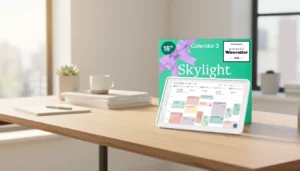
The Skylight Calendar is arguably Cozyla’s most direct competitor and the product most buyers are cross-shopping when they land on the Cozyla listing. Here’s how they stack up:
| Category | Cozyla Calendar Plus 2 | Skylight Calendar |
|---|---|---|
| Screen Size | 24 inches | 10–15 inch options |
| Subscription | None | Required for full features |
| Chore Chart | Yes (built-in) | Yes (with subscription) |
| Meal Planner | Yes (built-in) | Limited |
| App Store | Yes | No |
| Best For | Larger families, tech-forward homes | Smaller households, simplicity seekers |
When to Choose Skylight:
If simplicity is your priority and you don’t want to manage an app ecosystem, the Skylight Calendar’s more curated, closed experience might actually be preferable. It’s also physically smaller, which suits apartments or kitchens where wall real estate is limited. If subscription fees don’t concern you and you prioritize a polished, narrow feature set, Skylight delivers.
When to Choose Cozyla:
If you want a larger screen, hate recurring subscription fees, need a built-in meal planner, or want the flexibility to install additional apps over time, the Cozyla Smart Digital Calendar is the stronger choice. For large families where multiple people need to interact with the display daily, the 24-inch screen and multi-profile dashboard are genuinely worth the investment.
The Cozyla vs Skylight Calendar debate ultimately comes down to: flexibility and value vs. simplicity and polish. For most family households, Cozyla wins on net value.
Frequently Asked Questions About the Cozyla Smart Digital Calendar
1. Does the Cozyla Smart Digital Calendar require a monthly subscription?
No. One of the Cozyla Smart Digital Calendar’s most praised features is that it operates as a smart family calendar no subscription device. You pay for the hardware once, and all core features — calendar, chore chart, meal planner, and family dashboard — are included without any ongoing fees.
2. Can the Cozyla calendar sync with Google Calendar or Apple Calendar?
Yes. The Cozyla Calendar Plus 2 supports syncing with Google Calendar and iCal, so you don’t need to abandon your existing scheduling system. Events from those platforms can be imported and displayed on the family dashboard automatically.
3. How difficult is the Cozyla calendar to set up?
Basic setup — mounting, powering on, and getting the calendar functional — takes most users under 30 minutes. More advanced configuration, such as setting up family member profiles, syncing with external calendars, and installing apps from the App Store, may take an additional one to two hours. The interface is designed to be family-friendly, and most steps are guided on-screen.
4. Is the Cozyla Smart Digital Calendar suitable for a kitchen environment?
Yes, and it’s actually one of the best use cases. As an electronic wall planner for kitchen spaces, the Cozyla’s 24-inch touchscreen is large enough to read while cooking, the meal planner is directly relevant to kitchen activities, and the wall mount allows installation at a practical viewing height. The device is not splash-proof, however, so avoid mounting it directly adjacent to sinks or stovetops.
5. How does Cozyla compare to a tablet on a wall mount?
A tablet on a wall mount (like an iPad running Google Calendar) can technically perform some of the same functions, but lacks the dedicated family-focused interface, built-in chore chart, meal planner widget, and the always-on dashboard design that makes the Cozyla Calendar Plus 2 a purpose-built digital calendar with notepad for family households. Tablets also require ongoing software updates, may run into battery or charging complications when wall-mounted, and offer no native family member profile system. The Cozyla is purpose-engineered for this use case in a way that a general-purpose tablet simply isn’t.
Conclusion & Final Verdict
After this deep dive, here’s where I land: the Cozyla Smart Digital Calendar is one of the most well-rounded family organizational tools available in the smart home space right now.
It’s not perfect — the companion app has room for refinement, the App Store ecosystem is still maturing, and the 24-inch form factor won’t suit every space. But the no-subscription model, the genuinely useful chore chart and meal planner, the large responsive touchscreen, and the flexibility of App Store support combine to create a product that’s demonstrably better than most alternatives for its core target audience: busy families who need a shared household hub.
For anyone currently paying monthly fees for a digital calendar subscription, the math is particularly compelling. For families drowning in sticky notes and missed reminders, this might genuinely change how you run your household.
Overall Rating: ⭐⭐⭐⭐½ (4.5 out of 5)
The Cozyla Calendar Plus 2 earns that rating because it does what it promises, does it well, and charges you fairly for the privilege — once.
🛒 Ready to Transform Your Family’s Organization?
➡️ Click Here to Check the Latest Price on Amazon and See Why the Cozyla Smart Digital Calendar Is a Top Pick for Busy Families
If you’re a parent who’s exhausted from being the household’s unpaid scheduling secretary, this is the upgrade your kitchen wall — and your sanity — deserves. Check current pricing and availability on Amazon, where you can also read verified buyer reviews from other families who’ve made the switch.
Did you find this Cozyla digital calendar review helpful? Drop a comment below with your questions, or share this post with another parent who could use a little organizational relief.
Tags: Cozyla Smart Digital Calendar, digital calendar with notepad for family, electronic wall planner for kitchen, smart family calendar no subscription, best digital calendar for busy moms, Cozyla vs Skylight calendar, Cozyla digital calendar review, family organization, smart home
Related reviews:
Skylight Calendar Review: 7 Reasons Why It Might Be the Best Family Planner Yet
Digital Calendar Wall Touch Screen Review: Best 7 Features for Busy Parents
Digital Calendar Review: How to Find The Best One for Your Family
Smart Digital Calendar Review: 7 Best Reasons It’s a Game-Changer
Cozyla Smart Digital Calendar
Cozyla Smart Digital Calendar
Cozyla Smart Digital Calendar
Cozyla Smart Digital Calendar
Cozyla Smart Digital Calendar
Cozyla Smart Digital Calendar
Cozyla Smart Digital Calendar
Cozyla Smart Digital Calendar
Cozyla Smart Digital Calendar
Cozyla Smart Digital Calendar