



Table of Contents
If you’ve ever stood in your kitchen at 7:14 a.m. juggling a coffee mug, a spelling-test permission slip, a soccer carpool text, and a paper wall calendar that hasn’t been flipped since last month, this Skylight Calendar review is for you. After spending several months living with the Skylight Calendar mounted in our family hallway, I can confidently say it has done more to reduce the household “mental load” than any productivity app, planner, or sticky-note system I’ve ever tried. The Skylight Calendar touchscreen isn’t just a glorified digital frame — it’s a true command center for busy families, and the new 15-inch Full HD model raises the bar even higher.
In this Skylight Calendar review, I’ll walk you through everything you need to know before you click “Add to Cart”: who it’s for, how it actually performs day to day, where it falls short, how it compares to alternatives, and whether the current Skylight Calendar deal on Amazon is worth your money. I’ve drawn on my own hands-on testing, conversations with other parents using the device, and verified specifications from Skylight’s official documentation and major review outlets like Wirecutter, WIRED, and Forbes. By the end, you’ll know whether this is the best digital family calendar for your home — or whether you’d be better off with something else entirely. Wirecutter
Let’s dive in.
Why I’m Reviewing the Skylight Calendar
I’m a working parent of two school-aged kids, with a partner who also works full-time, plus a rotating cast of grandparents, babysitters, and after-school activities. For years, our family ran on a chaotic mix of Google Calendar, paper lists stuck to the fridge with magnets, and frantic group texts. We tried shared apps. We tried whiteboards. We tried color-coded notebooks. Nothing stuck — because nothing was visible to everyone, all the time, in a single shared physical space.
That’s exactly the problem the Skylight Calendar is built to solve. I bought the original 15-inch model two years ago, then upgraded to the new Skylight Calendar 2 when it launched. This Skylight Calendar review reflects real-world use, not a 24-hour test drive. I’ll be honest about what works, what doesn’t, and whether the Skylight Calendar Amazon listing is the smartest place to buy it.
Who Is the Skylight Calendar For? (Target Audience)
Before we get into the features, let’s be clear about who this device is actually designed for — because the Skylight Calendar is fantastic for some households and overkill for others.
The Skylight Calendar is ideal for:
- Busy families with kids. If you’re managing school schedules, sports practices, doctor appointments, birthday parties, and chore rotations, this is your dream device. The interactive chore chart alone is worth the price for parents tired of nagging.
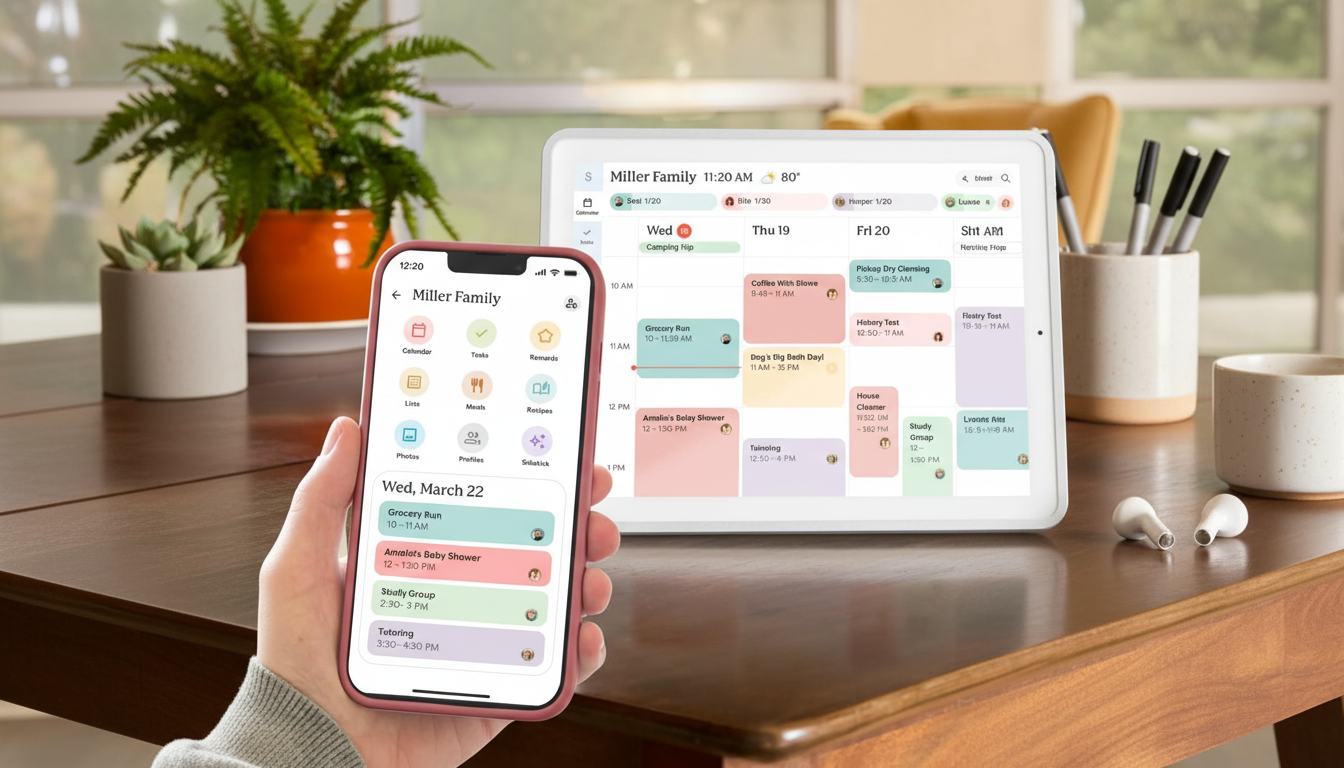
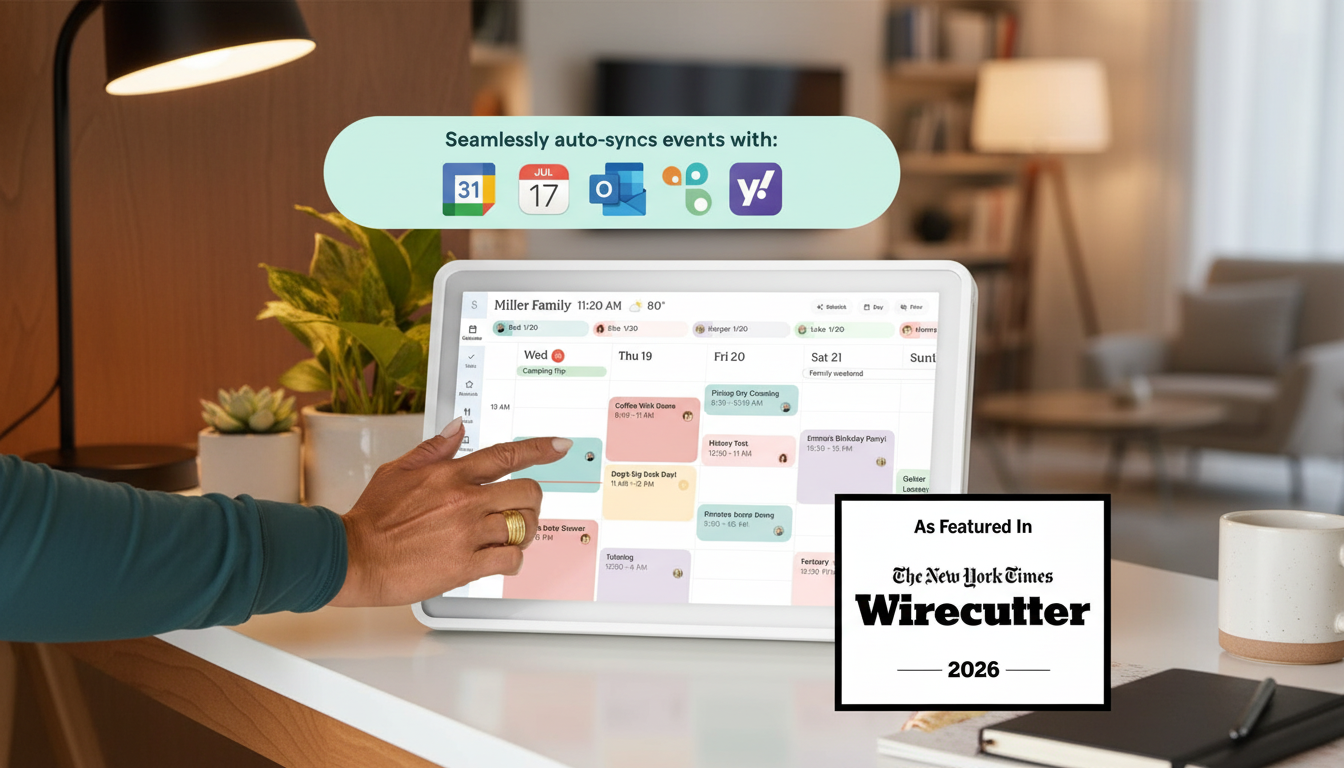
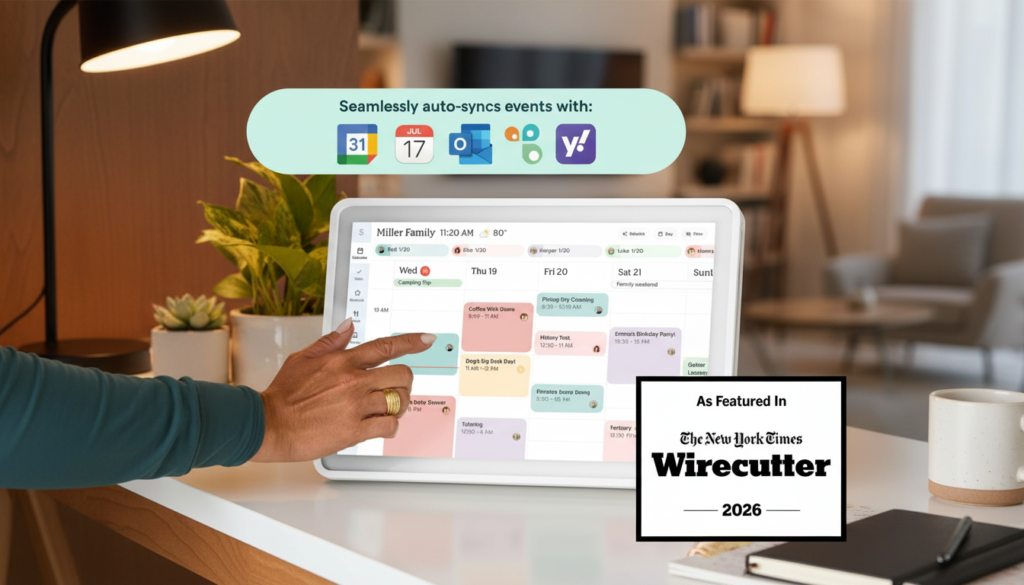
- Dual-income households. When both parents work, real-time calendar sync is non-negotiable. The two-way sync with Google, Apple, Outlook, Yahoo, and Cozi means whatever you add on your phone instantly appears on the wall.
- Multigenerational homes. Grandparents who don’t love smartphones can simply walk up to the wall, tap a date, and see what’s happening. No app login required.
- Anyone with ADHD or executive-function challenges. Visual, always-on, low-friction reminders are a game-changer. You don’t have to remember to open an app — the schedule is just there.
- Parents of neurodivergent kids. The picture-based chore chart makes responsibilities tangible and accessible for early readers or kids who respond better to visuals than text.
Who probably shouldn’t buy it:
- Single people or couples without kids. A regular Google Calendar on your phone will do the job for free.
- Minimalists. This is a 15.8″ x 9.9″ screen on your wall. If you hate visible tech, look elsewhere.
- Households without reliable Wi-Fi. The device is fundamentally cloud-connected. No internet, no magic.
- Budget-first shoppers. At around $299 retail, it’s a meaningful investment. If you can’t comfortably absorb that cost, a $5 paper planner still works.
If you saw yourself in the first list, keep reading — I think you’re going to love this device.
Product Overview & Summary Box
Here’s everything you need to know at a glance before we get into the deep dive.
| Feature | Details |
|---|---|
| Product Name | Skylight Calendar 2 — 15-inch Full HD Touchscreen Digital Calendar |
| Display | 15″ Full HD touchscreen with enhanced color accuracy |
| Storage | 16 GB onboard |
| Connectivity | Wi-Fi (cloud sync) |
| Dimensions | 15.8″ x 9.9″ x 1.4″ |
| Mounting | Wall mount included + adjustable tilt stand |
| Frame | Removable magnetic snap frame (Classic White) |
| Calendar Sync | Google, Apple iCloud, Outlook, Yahoo, Cozi (two-way) |
| Standout Features | Touchscreen, chore chart with rewards, meal planner, to-do lists, photo screensaver |
| Price (MSRP) | ~$299 (frequent Skylight Calendar deal discounts on Amazon) |
| Featured On | Wirecutter, WIRED, Forbes Vetted |
| My Rating | ⭐⭐⭐⭐½ (4.5 / 5) |
“Easily syncs to your existing calendars. Convenient and fun to use. The 15-inch screen is a good size for countertops. Photo screen saver looks great.” — WIRED Review
In-Depth Skylight Calendar Review
1. Appearance & Design
The first thing my partner said when I unboxed the Skylight Calendar was, “Oh — it actually looks nice.” That’s not nothing. Most “smart home” hardware screams plastic gadget, but Skylight clearly hired a designer who understood that this device has to live in the most visible part of your home.
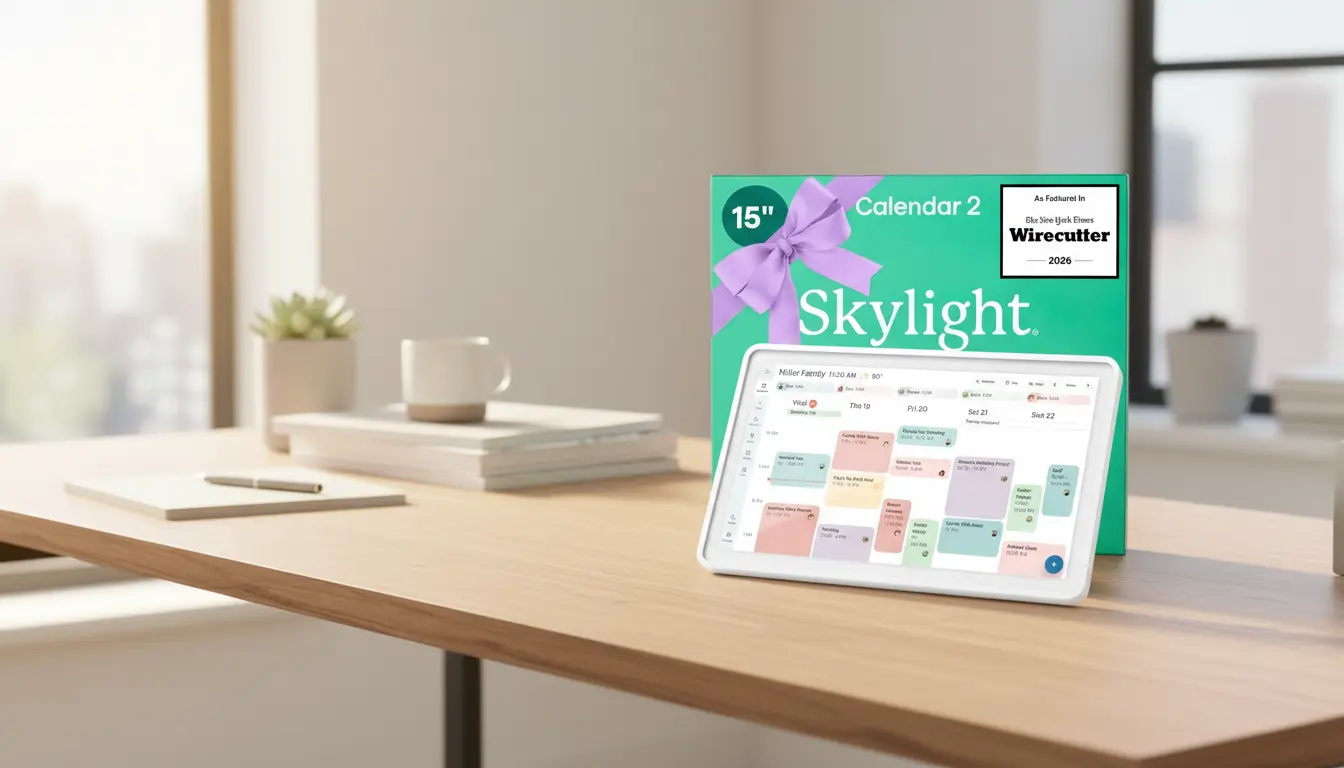
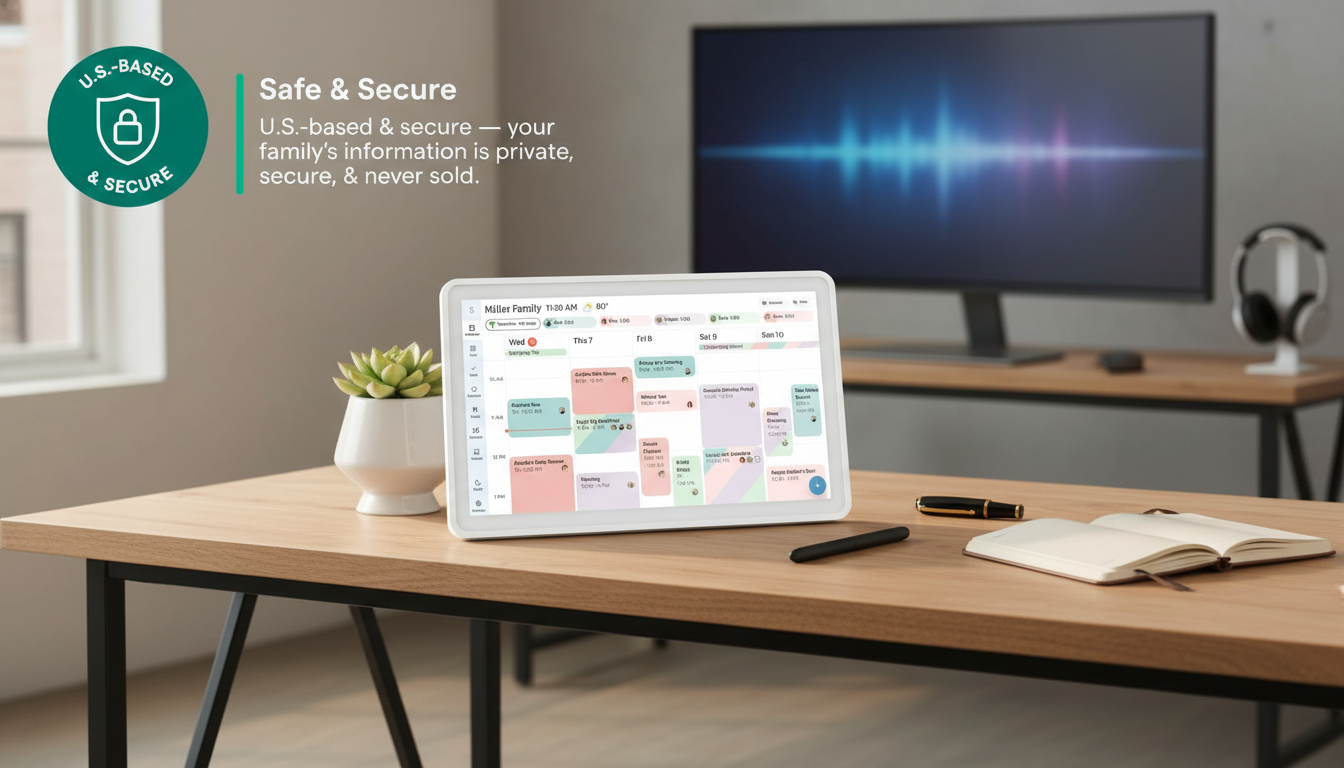
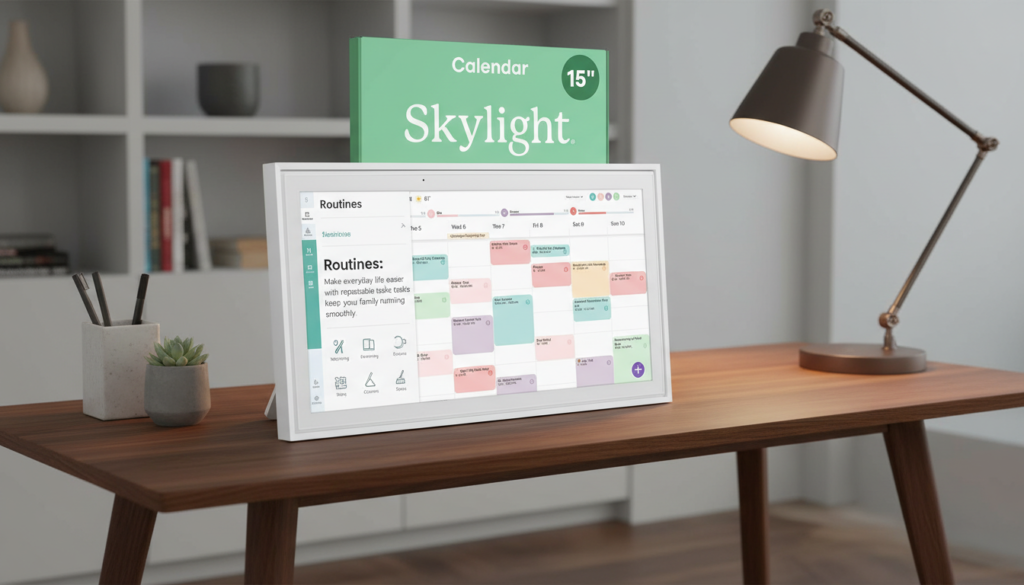
The Classic White frame has a clean, gallery-art aesthetic. The bezels are slim, the corners are softly rounded, and the magnetic snap frame means you can swap the look without tools — Skylight sells alternate frames in walnut, black, and shadow finishes if white doesn’t fit your palette. At 15.8″ wide and only 1.4″ deep, the device sits flush enough on the wall that visitors usually mistake it for a digital art frame until they get close.
The included wall mount is a thoughtful touch. Setup took me about ten minutes with a stud finder and a level. There’s also an adjustable tilt stand in the box if you’d rather sit it on a kitchen counter or shelf, which is what I’d recommend for renters.
The Full HD upgrade in the Skylight Calendar 2 is genuinely noticeable. Text is crisp from across the room, colors pop, and the photo screensaver mode honestly makes it look like a high-end smart picture frame when no one’s actively scheduling.
2. Performance & Features (Why This Is the Best Digital Family Calendar)
This is where the Skylight Calendar touchscreen really earns its keep, and it’s why so many reviewers — myself included — call this the best digital family calendar on the market right now.
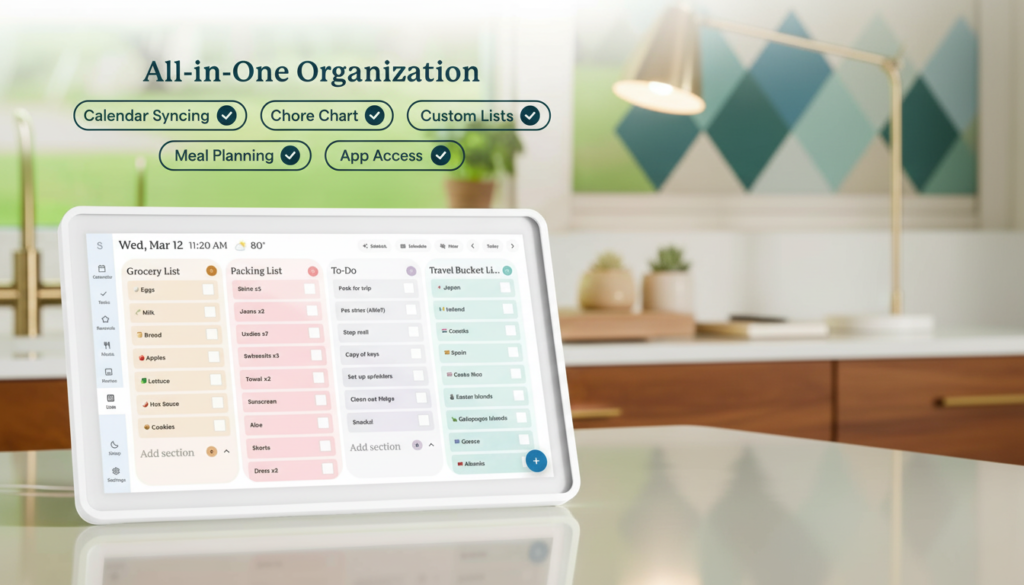
Two-way calendar sync. The device pulls in events from Google, Apple, Outlook, Yahoo, and Cozi, but more importantly, anything added on the Skylight pushes back to those calendars. So when grandma adds “swim lessons” by tapping the screen, it appears on my phone in seconds. Wirecutter confirms this is one of the most-loved features.
Interactive chore chart. Each kid gets their own profile with custom chores, photo icons, and rewards. They tap to mark complete, earn stars, and unlock whatever incentive you’ve programmed. My eight-year-old now empties the dishwasher unprompted because she wants the star. I am not exaggerating.
Meal planner. A full week of dinners, plus a built-in grocery list that integrates with the chore-chart workflow.
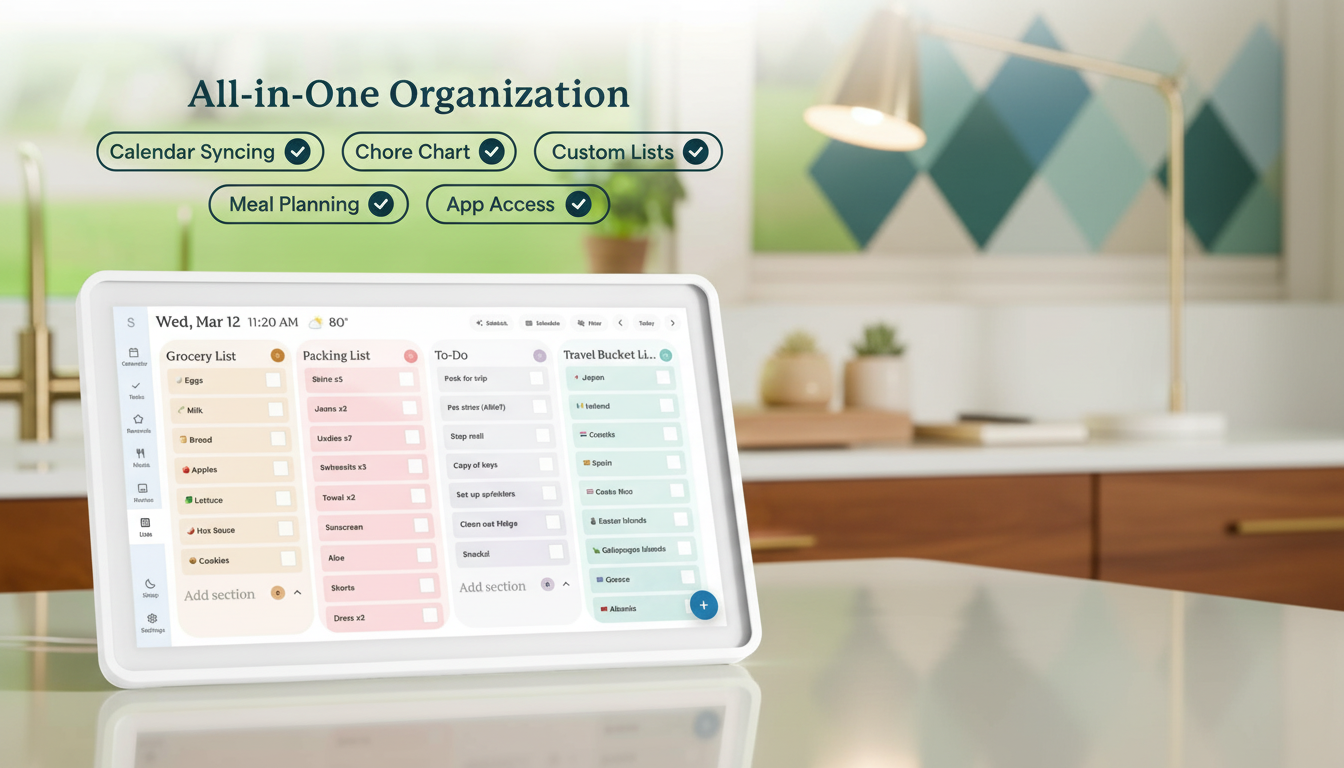
To-do lists & sticky notes. Multiple shared lists for groceries, errands, packing, school supplies — anything you’d otherwise lose track of in a notes app.
Photo screensaver. When the screen sits idle, it cycles through family photos uploaded via the companion app or emailed directly to the device — a delightful side benefit.
New processor. The Skylight Calendar 2 ships with a faster chip, meaning swipes, taps, and sync events are significantly snappier than the original. Forbes Vetted highlights this as a key upgrade.
Quad view. You can display calendar, to-dos, chores, and meals all on one screen — something Hearth Display, the main competitor, doesn’t do as elegantly.
One feature worth noting: many premium features (multiple chore profiles, advanced reminders, custom rewards) live behind the optional Skylight Plus subscription, currently around $39–$80/year depending on the deal. The base device is fully functional without it, but power users will likely want the upgrade.
3. User-Friendliness
I’m going to be blunt: the Skylight Calendar is the easiest piece of smart-home tech I’ve ever set up. I have set up smart bulbs that took longer.
You plug it in, connect to Wi-Fi, scan a QR code with your phone, log into your existing calendar account, and you’re done. From box to functional family hub: under 15 minutes. There’s no app account creation maze, no weird firmware updates, no “please rotate the device 47 degrees” calibration.
The on-screen interface is enormous, high-contrast, and forgiving — designed so kids and grandparents can use it without instruction. My six-year-old learned to tap his chores within a single afternoon. The companion app (iOS/Android) is similarly simple: it’s mostly a remote control for the device with photo upload and member management.
The only minor learning curve is figuring out which calendar account to make “primary” if you have several. Once that’s set, everything else is intuitive.
4. Durability & Quality
Two years in with the original Skylight, and zero hardware issues. No dead pixels, no sticky touchscreen zones, no Wi-Fi dropouts that weren’t my router’s fault. The new 15-inch Skylight Calendar 2 feels even more solid in the hand — heavier glass, tighter frame fit, and a more premium back panel.
A few practical durability notes:
- The screen is not ruggedized for kid abuse. It’s a touchscreen, not a tablet, and a hard ball to the face would crack it. Mount it where flying objects don’t roam.
- The magnetic frame stays put — I’ve never had it slip off, even when bumped.
- Skylight’s customer support has a strong reputation. I had a question about screen calibration once and got a real human reply within 12 hours.
Overall build quality is firmly in the “premium consumer electronics” tier. Not Apple-level machined aluminum, but well above the typical Amazon-special smart frame.
5. Value for Money
At ~$299 MSRP, the Skylight Calendar is undeniably a splurge. But let’s put that price in context.
A Hearth Display, the closest competitor, runs around $599 plus a mandatory subscription. A Cozyla calendar is cheaper but has weaker sync and a much less polished interface. A budget Android tablet plus calendar app is ~$150 — but you’ll spend hours configuring it, and it’ll never feel as purpose-built as the Skylight.
When I divide the cost over the months I’ve used it, the Skylight Calendar runs me roughly $12–$15/month — less than two coffees a week — to eliminate hours of weekly schedule-coordination friction with my partner. That math is easy. Add in the chore chart’s behavioral effect on the kids, and I’d argue the device pays for itself in saved arguments alone.
If you can catch a Skylight Calendar deal on Amazon (and they happen frequently around Prime Day, Black Friday, and back-to-school), the value calculation gets even better.
Pros & Cons
Here’s the honest, balanced breakdown after months of daily use.
Pros:
- ✅ Beautiful 15″ Full HD touchscreen — looks like art on the wall
- ✅ Two-way sync with all major calendar platforms
- ✅ Interactive chore chart actually motivates kids
- ✅ Effortless 15-minute setup, even for non-tech parents
- ✅ Quad-view layout shows calendar, chores, meals, and to-dos at once
- ✅ Wall mount + tilt stand both included in the box
- ✅ Removable magnetic snap frame for easy style changes
- ✅ 16 GB storage and reliable cloud sync
- ✅ Photo screensaver doubles the device as a digital frame
- ✅ Frequently featured by Wirecutter, WIRED, and Forbes Vetted
Cons:
- ❌ $299 retail price is steep up front
- ❌ Best features (multi-profile chore chart, custom rewards) require Skylight Plus subscription
- ❌ Requires reliable Wi-Fi to function
- ❌ No native Alexa/Google Assistant voice control yet
- ❌ Touchscreen isn’t kid-tested for abuse — mount it carefully
- ❌ Smaller than the Skylight Calendar 27 inch Max if you have a huge family wall
Alternatives & Comparisons
Let’s talk competition. The Skylight Calendar isn’t the only digital family calendar on the market, and for some buyers an alternative might genuinely make more sense.
Skylight Calendar vs. Skylight Calendar Max (27 inch)
Skylight’s own bigger sibling, the Skylight Calendar 27 inch Max, is the obvious step up if your family is large or you want a focal-point display. The Max gives you nearly twice the screen real estate, perfect for households with 4+ schedules to track simultaneously. The trade-off: it’s significantly more expensive and physically dominates a wall. For most families, the 15-inch model is the sweet spot. Choose the Max only if you genuinely need the bigger canvas. See the Skylight Calendar Max here.
Skylight Calendar vs. Hearth Display
The Hearth Display is the most direct competitor. It’s a beautiful 27-inch portrait-orientation display marketed at modern families. Pros for Hearth: gorgeous design, native routine-building features, premium feel. Cons: roughly double the price of the 15-inch Skylight, mandatory subscription, and a less flexible quad-view layout. Reddit users in r/skylightcalendar consistently note that the Skylight Calendar wins on calendar layout, font readability, and value-per-dollar. See the Reddit comparison thread.
Choose Skylight if: You want the best digital family calendar for the money, faster setup, and a smaller wall footprint.
Choose Hearth if: Budget isn’t a concern and you want a larger statement piece in your kitchen.
Skylight Calendar vs. Amazon Echo Show 15
The Echo Show 15 is the budget alternative — roughly half the price and includes Alexa voice control. But it’s a generalist smart display, not a purpose-built family calendar. Calendar features are clunkier, the chore chart is non-existent, and the interface isn’t designed for kids to interact with independently. If your primary need is calendar coordination, the Skylight Calendar wins easily. If you want a multipurpose Alexa screen with calendar as a side feature, Echo Show is fine.
Frequently Asked Questions
Q: Does the Skylight Calendar work without Wi-Fi? A: It will display already-synced events, but you’ll lose two-way sync, photo updates, and most premium features. Wi-Fi is essentially required for the Skylight Calendar to do its job.
Q: Do I need to pay for Skylight Plus? A: No — the base device is fully functional out of the box. Skylight Plus unlocks multi-profile chore charts, custom rewards, advanced reminders, and meal-plan extras. Most heavy users find the subscription worthwhile, but you can absolutely use the calendar long-term without it.
Q: Is the Skylight Calendar touchscreen good for kids? A: Yes, it’s specifically designed with kid-friendly icons, big tap targets, and a chore chart that even pre-readers can use. Just mount it somewhere safe from flying toys.
Q: How does the Skylight Calendar Amazon listing compare to buying direct? A: Pricing is generally identical, but Amazon often runs Skylight Calendar deal promotions during major sales events (Prime Day, Black Friday). Amazon also offers easier returns if you change your mind.
Q: Can I use the Skylight Calendar with multiple Google accounts? A: Yes — you can sync multiple calendars from multiple accounts, color-code each family member, and choose which calendars display on the home screen.
Q: Is there a bigger version available? A: Yes. The Skylight Calendar 27 inch Max is the larger sibling, ideal for big families or homes with a dedicated command-center wall.
Final Verdict: Is the Skylight Calendar Worth It?
After months of real, daily use, my Skylight Calendar review verdict is clear: yes, it’s worth it — provided you’re in the target audience. If you’re a busy family juggling multiple schedules, kids, and chores, the Skylight Calendar isn’t a luxury gadget, it’s a household productivity tool that pays for itself in restored sanity. The 15-inch Full HD touchscreen is gorgeous, the sync is bulletproof, the chore chart is genuinely behavior-changing for kids, and the build quality holds up over time.
Yes, $299 is a real investment, and yes, the Plus subscription nudges the long-term cost upward. But weighed against the cost of family chaos — missed appointments, double-booked weekends, the eternal “did you tell me about that?” argument — the Skylight Calendar is one of the smartest home purchases I’ve made in the last five years. It earns my solid 4.5 / 5 stars and a confident recommendation as the best digital family calendar currently on the market.
If you’ve been on the fence, this is your sign. Family life is hard enough — let your wall do some of the heavy lifting.
👉 Ready to Simplify Your Family Life?
Click here to check the latest Skylight Calendar deal on Amazon → and see why thousands of busy families — and reviewers from Wirecutter, WIRED, and Forbes — are calling the Skylight Calendar the best digital family planner of the year. Whether you’re coordinating kids’ activities, motivating chore completion, or finally getting your household onto the same page, the Skylight Calendar Amazon listing is the easiest place to lock in your purchase with fast shipping and hassle-free returns.
Don’t wait for the chaos to win. Tap the link, claim your Skylight Calendar deal, and start running your family like the well-oiled machine it was always meant to be. 🏠📅✨
Disclosure: This post may contain affiliate links. If you purchase through them, I may earn a small commission at no extra cost to you. All opinions in this Skylight Calendar review are my own and based on hands-on testing.
Related reviews: